
|
Do it yourself
| |||
| ||||


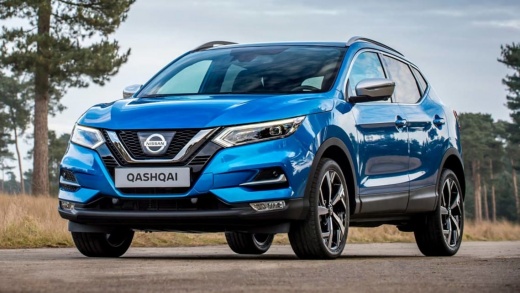
How to Update the Maps of the Nissan Qashqai J11 Version
Model: Nissan Qashqai
J11
- Years:
2014, 2015, 2016, 2017, 2018, 2019, 2020, 2021, 2022
Video tutorial
In this guide, we will see how to update the maps of the Nissan Qashqai J11 version: this version's system does not have a slot for the SD card, so updates must be done online. Go to settings and then to "system update" and subsequently to "map update", which can be done via Wi-Fi or USB. This may take some time, during which you need to keep the engine running. However, you can download the updates on your PC and simply transfer them from a USB stick. Therefore, initiate the download from USB. The USB stick must be at least 32 GB and formatted in FAT32; it is important not to turn off the car while performing the update, so it may be useful to do this while driving. It will notify you when the download is complete; confirm it. Your home screen may need to be restored with your widgets, but aside from that, everything should go smoothly.
Updated on 18 July 2026 by ScegliAuto
Related tutorials
Nissan Qashqai
(2014-2022 /
J11)
In this video, we will see how to add a chrome accessory to the front of a Nissan Qashqai J11. This involves two chrome trims that enhance the front …

Nissan Qashqai
(2014-2022 /
J11)
In this video, see how to easily install a very nice accessory for the Nissan Qashqai J11: coloured covers for the interior of the door handles, feat…

Nissan Qashqai
(2014-2022 /
J11)
In this video, we see how to disassemble and reassemble the radio of the Nissan Qasqhai J11 or X-Trail: we will need to remove the plastic gasket loc…
Other guides you may be interested in |
How to Reset the Tire Pressure Light on a MG ZS?
On the instrument cluster of the MG ZS, the tire pressure light that appears can be reset by inflating the tires to the correct pressure: this value will be indicated on the sticker attached to the driver's door pillar. Once the tires have been properly inflated, you can turn on the instrument cluster and navigate through the menu until you find the option that indicates tire pressure: if this screen shows the new values, the light will turn off; otherwise, you will need to drive for a few miles so that the sensors can read the new values and turn off the light afterward. by ScegliAuto More videos
|
|
For advertising on this site Write to info@scegliauto.com
ScegliAuto is not responsible for any inaccuracy of the data in the lists. To report any inaccuracy or your business (if you own the business in question), please write to info@scegliauto.com
Number of seconds to generate the page: 0.028
(c) ScegliAuto 2026 - info@scegliauto.com - Privacy policy VAT number: IT01247470535 |
