
|
Do it yourself
| |||
| ||||


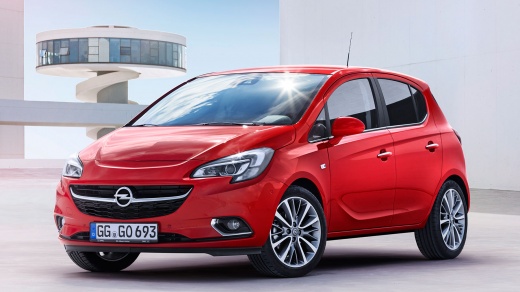
How to replace the rear headlight bulb of an Opel Corsa?
Model: Vauxhall Corsa
Corsa E
- Years:
2014, 2015, 2016, 2017, 2018, 2019
Video tutorial
To replace the rear headlight bulb of an Opel Corsa, start by opening the rear hatch. Find the access panel inside the trunk, usually located behind the headlight. Remove the panel by gently pulling it or unscrewing any screws if present. Now you will have access to the back of the headlight. Locate the bulb connector and rotate it counterclockwise to unlock it. Gently remove the old bulb. Make sure to replace it with a new bulb compatible with the Opel Corsa. Insert the new bulb into the connector and rotate it clockwise to lock it. Before closing the panel, turn on the headlights and check if the new bulb is working properly. Put the panel back in the trunk and close it. You have now successfully replaced the rear headlight bulb of your Opel Corsa.
Posted on 11 December 2024 by ScegliAuto
Related tutorials
Vauxhall Corsa
(2000-2006 /
Corsa C)
To replace the rear headlight bulb of the Opel Corsa, we must first open the trunk and unscrew the two screws of the headlight; once the screws are r…

Vauxhall Corsa
(2006-2014 /
Corsa D)
It will be possible to replace the rear headlight bulb of the Opel Corsa by opening the rear tailgate: once the latter has been lifted, it will be po…

Vauxhall Corsa
(2014-2019 /
Corsa E)
The steps to replace the rear headlight bulb of the Opel Corsa model E are simple and quick to perform independently. The first step is to remove the…
Other guides you may be interested in
|
How to Set the Time in an Audi A4?
In this tutorial, you will see how to set the time in an Audi A4, a very simple and quick operation to perform after replacing the battery or when the time changes. First, insert the key and turn on the instrument cluster. Then, press the "SETUP" button located on the center console. Next, press the upper left arrow button, navigate to the "Time" option, and use the central knob to adjust the clock. Finally, set any necessary formats and save by returning to the main screen. by ScegliAuto More videos
|
|
For advertising on this site Write to info@scegliauto.com
ScegliAuto is not responsible for any inaccuracy of the data in the lists. To report any inaccuracy or your business (if you own the business in question), please write to info@scegliauto.com
Number of seconds to generate the page: 0.114
(c) ScegliAuto 2026 - info@scegliauto.com - Privacy policy VAT number: IT01247470535 |
