
|
Do it yourself
| |||
| ||||


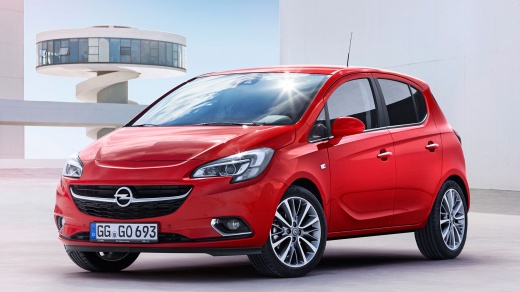
How to replace the battery of the Opel Corsa model E key
Model: Vauxhall Corsa
Corsa E
- Years:
2014, 2015, 2016, 2017, 2018, 2019
Video tutorial
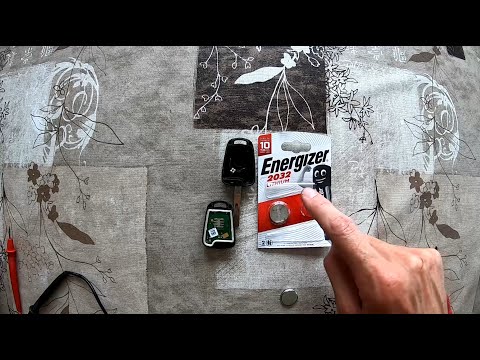
Replacing the remote control battery of the Opel Corsa model E produced from 2014 to 2019 is a simple and quick operation to be carried out independently. To replace the battery, we need to remove the cover, remove the battery, and insert the new CR 20 32 3-volt battery. After replacing the battery, we test the remote control by pressing the vehicle's lock and unlock buttons. If the remote control does not work properly, it may be necessary to proceed with reprogramming the key. To program the key, we need to get into the vehicle and press the remote control buttons after inserting it into the ignition switch.
Posted on 5 January 2025 by ScegliAuto
Related tutorials
Vauxhall Corsa
(2006-2014 /
Corsa D)
This guide explains how to replace the key fob battery of an Opel Corsa model D. To perform this simple operation, you need a flathead screwdriver an…
Vauxhall Corsa
(2006-2014 /
Corsa D)
If you own an Opel Corsa D and want to replace the key battery yourself, read this guide carefully and follow the steps described. First, ensure you …

Vauxhall Corsa
(2014-2019 /
Corsa E)
The steps to replace the battery of the Opel Corsa model e are: -open the front hood; -unscrew the bracket on the battery with a socket wrench; -unsc…
Other guides you may be interested in
|
How to Change the Time on the Peugeot 208
Today's guide will show you how to set the clock on the Peugeot 208's onboard computer, following the instructions below. First, get in the car and turn on the instrument panel; then press and hold the settings button on the panel for a few seconds until the time starts to flash, as shown in the video. At this point, press the left button to correctly set the time, adjusting the hour first and then the minutes; exit the onboard computer menu to save all the changes made! by ScegliAuto More videos
|
|
For advertising on this site Write to info@scegliauto.com
ScegliAuto is not responsible for any inaccuracy of the data in the lists. To report any inaccuracy or your business (if you own the business in question), please write to info@scegliauto.com
Number of seconds to generate the page: 0.100
(c) ScegliAuto 2026 - info@scegliauto.com - Privacy policy VAT number: IT01247470535 |
