
|
Do it yourself
| |||
| ||||


How do you reset the Service light of the Opel Astra?
Model: Vauxhall Astra
Astra K
- Years:
2015, 2016, 2017, 2018, 2019, 2020, 2021, 2022
Video tutorial
On the instrument panel of the Opel Astra, the Service light reset can be performed by turning on the instrument panel so that it is possible to access the options indicated on the menu of the panel: once the menu is displayed, it will be possible to navigate inside it with the arrows on the right side of the steering wheel. You will need to navigate within the menu until you find the option for the remaining oil life: once this is displayed, you will need to hold down the SET/CLR button located at the end of the left lever. Now a confirmation message will appear asking if you really want to reset the light: to confirm, you will need to select "Yes".
Posted on 24 March 2025 by ScegliAuto
Related tutorials
Vauxhall Astra
(2015-2022 /
Astra K)
To help those who may not know how to reset the service expiration warning for their Opel Astra K, here is the attached video guide. It first shows t…

Vauxhall Astra
(2004-2010 /
Astra H)
By holding down the button located on the right side of the instrument cluster while it is off, you can start the reset of the Service light on the O…
Vauxhall Astra
(1998-2006 /
Astra G)
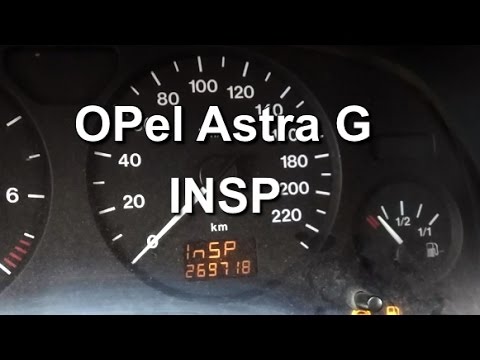
Resetting the oil service light on the Opel Astra, as shown in this tutorial, is an extremely simple and quick operation. Before proceeding, ensure t…
Other guides you may be interested in
|
How to Remove the Rear Bumper on a Peugeot 308
This article outlines the procedure to remove and replace the rear bumper on a Peugeot 308 T9. First, remove the screws located in the wheel arch of the rear wheels, then remove the plastic clips underneath the bumper. Next, take off the wheel arch cover, and remove the plastic nut. After removing the nut, disconnect the connectors present. Now, remove the fixing screws located underneath the bumper and also the plastic clips. Once all clips and screws are removed, you can take off the bumper for repair or replacement. by ScegliAuto More videos
|
|
For advertising on this site Write to info@scegliauto.com
ScegliAuto is not responsible for any inaccuracy of the data in the lists. To report any inaccuracy or your business (if you own the business in question), please write to info@scegliauto.com
Number of seconds to generate the page: 0.110
(c) ScegliAuto 2026 - info@scegliauto.com - Privacy policy VAT number: IT01247470535 |
