
|
Do it yourself
| |||
| ||||


How do you reset the service indicator in the Opel Movano?
Model: Vauxhall Movano
Movano A, MK 1
- Years:
1998, 1999, 2000, 2001, 2002, 2003, 2004, 2005, 2006, 2007, 2008, 2009
Video tutorial
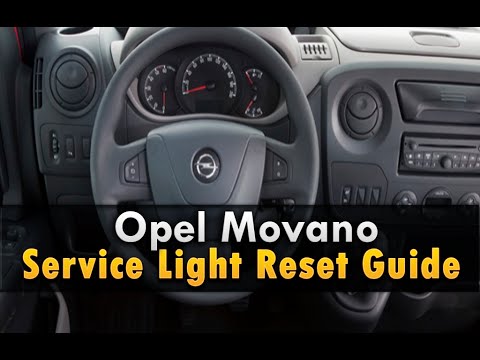
The work vehicle shown in this video describes the features of the Opel Movano, for which we will discuss the topic of servicing. These are managed by the service light, in fact when it lights up it is necessary to carry out the service, respecting the mileage intervals established by the manufacturer. Now let's see how to reset the anomaly: Turn on the instrument panel, with the buttons on the end of the windshield wiper lever we scroll through the Menu, select the Service option and finally, keeping both buttons mentioned above pressed, we will start the process of deleting the light.
Posted on 26 March 2025 by ScegliAuto
Related tutorials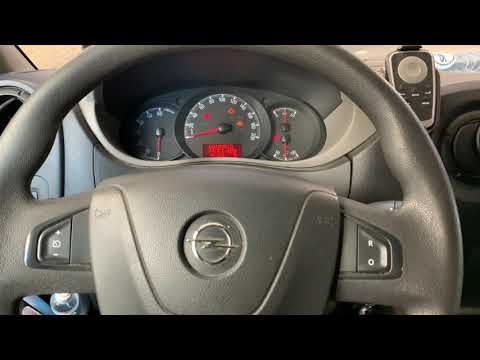
Vauxhall Movano
(2010-2021 /
MK 2, Movano B)
In this video, see how to reset the oil service light on a 2014 Opel Movano. Insert the key and turn on the ignition without starting the engine. Use…
Vauxhall Movano
(1998-2011 /
Movano A, MK 1)
Whenever you perform an oil change and replace the filter as part of the service, you should reset the warning light that appears on the dashboard. T…

Vauxhall Movano
(2021-2026 /
MK 3)
The AdBlue warning light displayed on the instrument panel of the Opel Movano can be reset by topping up the necessary amount of additive liquid in t…
Other guides you may be interested in |
How to Activate the Automatic Folding and Unfolding of the Wing Mirrors on the Jeep Compass
Follow these brief instructions to activate the automatic folding and unfolding of the external wing mirrors on the Jeep Compass. First, get inside the vehicle and turn on the ignition; then press the button located beneath the mirror glass adjustment to electrically open the mirror, as shown in the video. Pressing the button in the opposite direction will close the mirrors; by holding the button, the mirrors will open and close automatically! by ScegliAuto More videos
|
|
For advertising on this site Write to info@scegliauto.com
ScegliAuto is not responsible for any inaccuracy of the data in the lists. To report any inaccuracy or your business (if you own the business in question), please write to info@scegliauto.com
Number of seconds to generate the page: 0.013
(c) ScegliAuto 2026 - info@scegliauto.com - Privacy policy VAT number: IT01247470535 |
