
|
Do it yourself
| |||
| ||||


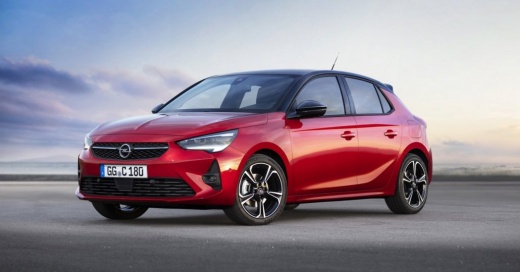
How to set the correct time on the Opel Corsa F
Model: Vauxhall Corsa
Corsa F
- Years 2019-2026
In this new guide dedicated to those of you who own an Opel Corsa F, we will explain how you can quickly and easily set the correct time. First of all, turn on the car's dashboard and then use the central infotainment system to access the vehicle settings menu. At this point, click on the "Time and date" option and then enter the screen for setting the time. Click on "Time" and then proceed with changing the hours and minutes. Save the changes made by going back and finally exit the settings menu.
Posted on 11 June 2025 by ScegliAuto
Video tutorial
Related tutorials
Vauxhall Corsa
(2006-2014 /
Corsa D)
In the Opel Corsa, you can adjust the clock by turning on the instrument panel, so that you can press the SETTINGS button located on the central dash…

Vauxhall Corsa
(2019-2026 /
Corsa F)
In this new mini guide dedicated to all of you who own a 2020 Opel Corsa, we will discover the various steps you need to take if you intend to manual…

Vauxhall Corsa
(2014-2019 /
Corsa E)
To adjust the clock of the Opel Corsa, you need to turn on the instrument panel by inserting the ignition key into the corresponding slot. Once the p…
Other guides you may be interested in
|
How to Reset the Central Locking of the Volkswagen Golf 4?
If the central locking system of the Volkswagen Golf 4 is not working, it is likely necessary to reset the system: to do this, open the driver's door and detach the side panel of the dashboard next to the steering wheel. Under this panel, you will find the fuses, including the one for the central locking, which is indicated in the manual as number 14. To reset the system, remove this fuse from its housing, then reinsert it or replace it with a new one of the same amperage: this will reset the central locking system. by ScegliAuto More videos
|
|
For advertising on this site Write to info@scegliauto.com
ScegliAuto is not responsible for any inaccuracy of the data in the lists. To report any inaccuracy or your business (if you own the business in question), please write to info@scegliauto.com
Number of seconds to generate the page: 0.103
(c) ScegliAuto 2026 - info@scegliauto.com - Privacy policy VAT number: IT01247470535 |
