
|
Do it yourself
| |||
| ||||


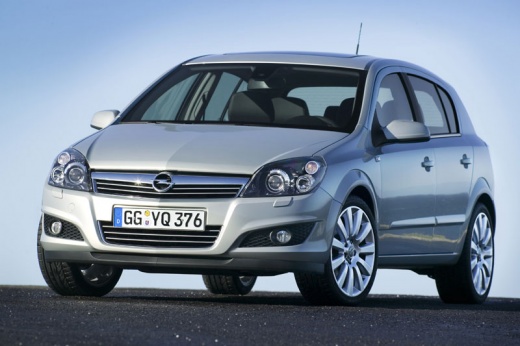
How to Reset the Clock in an Opel Astra H?
Model: Vauxhall Astra
Astra H
- Years:
2004, 2005, 2006, 2007, 2008, 2009, 2010
Video tutorial
In this video guide, we will see how to set the clock and reset it if needed in an Opel Astra H. Everything is managed by the knob and the four buttons located on the central part of the dashboard, and each setting, in this case, the time, will be displayed on the small central display. Using the aforementioned knob, access the Settings, while the buttons allow you to navigate within, selecting the options of interest. Once at the time adjustment, proceed with the buttons to set the hours and minutes. After completing all this, you can turn off the instrument cluster.
Posted on 17 February 2026 by ScegliAuto
Related tutorials
Vauxhall Astra
(1998-2006 /
Astra G)
To adjust the clock of the Opel Astra, you will need to turn on the instrument panel by inserting the ignition key into the corresponding slot: once …

Vauxhall Astra
(2004-2010 /
Astra H)
Today we will see how to set the clock on the board computer on the instrument panel of the Opel Astra model h, produced from 2004 to 2010 independen…

Vauxhall Astra
(2004-2010 /
Astra H)
Adjusting the clock in the Opel Astra, specifically the H series, is made simple by the video guide provided. First, turn on the instrument panel, th…
Other guides you may be interested in
|
Frequently Asked QuestionsHow to Open the Fuel Flap on a Volkswagen Tiguan?
To open the fuel flap on a Volkswagen Tiguan, first unlock the car using the appropriate button on the remote. This will open the car and unlock the mechanism that controls the fuel flap. At this point, apply light pressure to the left side of the flap to open it and access the cap underneath. Once this is unscrewed, you can refuel and then close everything. by ScegliAuto More videos
|
|
For advertising on this site Write to info@scegliauto.com
ScegliAuto is not responsible for any inaccuracy of the data in the lists. To report any inaccuracy or your business (if you own the business in question), please write to info@scegliauto.com
Number of seconds to generate the page: 0.073
(c) ScegliAuto 2026 - info@scegliauto.com - Privacy policy VAT number: IT01247470535 |
