
|
Do it yourself
| |||
| ||||


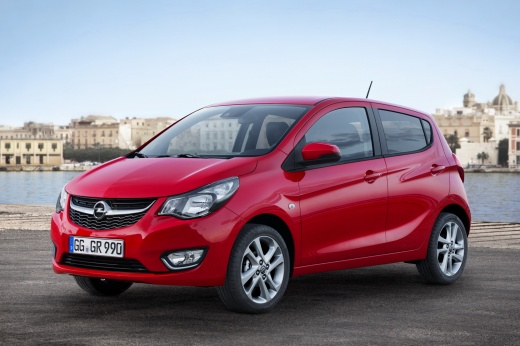
How to Operate IntelliLink on an Opel Karl
Model: Vauxhall Karl
MK 1
- Years:
2015, 2016, 2017, 2018, 2019
Video tutorial
Opel IntelliLink is a multimedia system that offers compatibility with Apple CarPlay and Android Auto, allowing you to use device applications and stay connected without taking your hands off the wheel. It enables voice commands (Siri, Google). It features a 7-inch colour touchscreen display and Bluetooth connectivity. This infotainment system is available in various configurations, all with an interface characterised by five different menus: Audio, Phone, Gallery, Apps, Vehicle Settings. Connect your smartphone with a USB cable and issue commands; it is a true ally of road safety.
Updated on 11 March 2026 by ScegliAuto
Related tutorials
Vauxhall Karl
(2015-2019 /
MK 1)
To reset the TPMS on the Opel Karl, there are two different methods depending on the production year of the vehicle. For models from 2015 to 2017, us…

Vauxhall Karl
(2015-2019 /
MK 1)
In this new guide dedicated to those of you who own an Opel Karl, we will explain step by step how you can quickly and safely replace the external re…

Vauxhall Karl
(2015-2019 /
MK 1)
In this tutorial we can see how to reset the service in the Opel Karl, an extremely simple and fast operation, to be performed only once all schedule…
Other guides you may be interested in |
How to open the boot if it is stuck on a Mercedes B-Class?
On the Mercedes B-Class, the boot may become stuck, possibly due to a problem with the control button or the lock actuator. In this case, perform the emergency opening by following the simple procedure shown in this tutorial. First, unlock the locks with the remote control, then open the rear doors and, by operating the indicated lever, lower the backrest of the seat. Next, go inside the boot, locate the indicated gap, and manually unlock the lock using a small screwdriver. by ScegliAuto More videos
|
|
For advertising on this site Write to info@scegliauto.com
ScegliAuto is not responsible for any inaccuracy of the data in the lists. To report any inaccuracy or your business (if you own the business in question), please write to info@scegliauto.com
Number of seconds to generate the page: 0.015
(c) ScegliAuto 2026 - info@scegliauto.com - Privacy policy VAT number: IT01247470535 |
