
|
Do it yourself
| |||
| ||||


How to Reset the Service Light on the Opel Meriva?
Model: Vauxhall Meriva
- Years 2010-2017
By turning on the instrument panel, you can navigate through the menu using the arrows on the lever to the left of the steering wheel to clear the Service light on the Opel Meriva: locate the entry with the oil icon and the corresponding remaining life percentage. When this entry is displayed on the instrument panel, press and hold the SET/CLR button located at the end of the lever: after a few seconds, the remaining oil life will be reset, and you will see that the Service light will completely disappear from the screen.
Posted on 3 October 2026 by ScegliAuto
Video tutorial
Related tutorials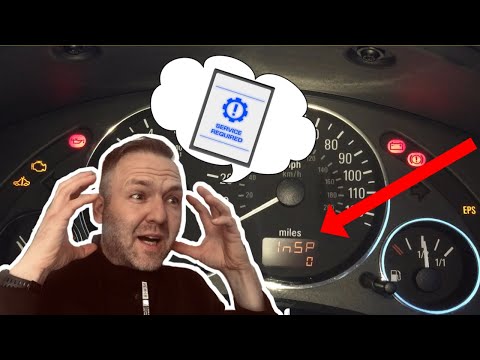
Vauxhall Meriva
(2003-2010 /
Meriva A, MK 1)
To reset the Service light on the Opel Meriva, press and hold the button located on the dashboard, between the speedometer and the fuel gauge: keep t…

Vauxhall Meriva
(2010-2017 /
MK 2, Meriva B)
There is also a quick, simple, and do-it-yourself way to reset the service light for the Opel Meriva b. Let's consult the vehicle's user manual to fi…

Vauxhall Meriva
(2010-2017 /
MK 2, Meriva B)
Today we will explain how to reset the service light on a 2011 Opel Meriva "B" model. To reset the car maintenance light, we need to: - turn on the c…
Other guides you may be interested in
|
Where to Find the Fuses in the Nissan Qashqai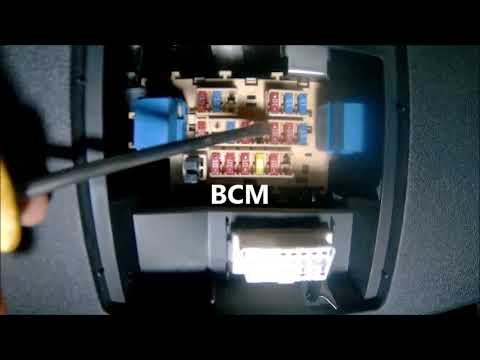
The fuse box in the Nissan Qashqai's cabin is located to the left of the steering wheel, where there is a small cover. Pull it off to access the fuse and relay box. To replace a fuse, if that is the cause of the issue, take a small pair of pliers and remove the fuse of the non-functioning component. Check that the bridge inside the fuse is not broken; if it is broken, replace the fuse with a new one of the same amperage as the old one. If the bridge is intact, the fuse is functioning correctly. by ScegliAuto More videos
|
|
For advertising on this site Write to info@scegliauto.com
ScegliAuto is not responsible for any inaccuracy of the data in the lists. To report any inaccuracy or your business (if you own the business in question), please write to info@scegliauto.com
Number of seconds to generate the page: 0.205
(c) ScegliAuto 2026 - info@scegliauto.com - Privacy policy VAT number: IT01247470535 |
