
|
Do it yourself
| |||
| ||||


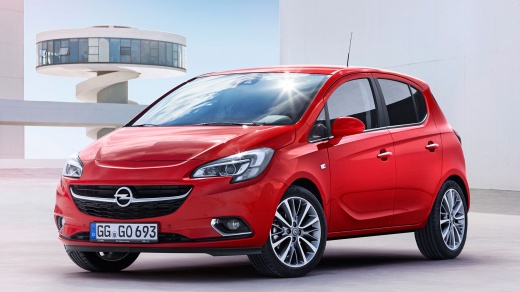
How to Reset the Tyre Pressure Light of the Opel Corsa E
Model: Vauxhall Corsa
- Years:
2014, 2015, 2016, 2017, 2018, 2019
Video tutorial
If you intend to manually reset the tyre pressure light of your Opel Corsa E, simply follow the steps described in this guide. First, start the instrument cluster and press the menu button located on the left stalk of the steering wheel. Next, locate the "Tire learn" screen and hold down the "Set/Clear" button for a few seconds to force the manual reset of the tyre pressure light. Once the reset is complete, start the engine and drive a few miles to allow the sensors to read the pressures again.
Posted on 14 October 2026 by ScegliAuto
Related tutorials
Vauxhall Corsa
(2014-2019 /
Corsa E)
Open the driver's side door and turn on the instrument panel of your Opel Corsa E. From the main menu, select "Vehicle" and then "Safety". Find the o…

Vauxhall Corsa
(2006-2014 /
Corsa D)
To correctly perform the manual reset of the tire warning light on your Opel Corsa D (year 2013), you just need to follow the procedure outlined in t…
Vauxhall Corsa
(2019-2026 /
Corsa F)
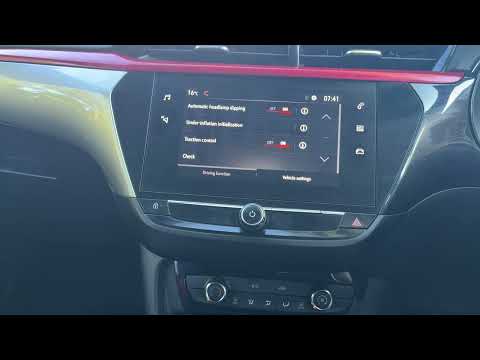
To reset the tyre pressure warning light on the Opel Corsa, turn the ignition on by rotating the key. Then, press the Home button located on the disp…
Other guides you may be interested in
|
How to Open a Stuck Trunk on a Mercedes C-Class W205
Like all modern vehicles, the Mercedes C-Class has the option to open the trunk from the inside. If the trunk does not open from the outside, you can enter the vehicle and, by pressing the button located on the top of the backrest, fold down the center seat. From here, you can lower the other two seatbacks to create a flat surface, allowing you to slide down to the internal trunk lock. Here, you will see a black handle that, when lifted, will give you access to a strap. Pulling the strap will allow you to reach the lever of the internal mechanism. Simply lift it to allow the trunk to open. by ScegliAuto More videos
|
|
For advertising on this site Write to info@scegliauto.com
ScegliAuto is not responsible for any inaccuracy of the data in the lists. To report any inaccuracy or your business (if you own the business in question), please write to info@scegliauto.com
Number of seconds to generate the page: 0.035
(c) ScegliAuto 2026 - info@scegliauto.com - Privacy policy VAT number: IT01247470535 |
