
|
Do it yourself
| |||
| ||||


How do you reset the Service light on the Opel Insignia?
Model: Vauxhall Insigna
Insigna A, MK 1
- Years 2008-2017
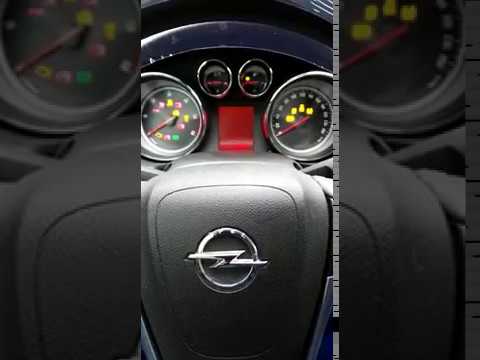
To reset the Service light that appears on the instrument panel of the Opel Insignia, you will need to scroll through the menu displayed on the instrument panel, after it has been turned on by turning the key in the appropriate lock. You will then need to select the option with the remaining oil life and its percentage. To make this percentage return to maximum, simply hold down the SET/CLR button located at the end of the left lever. This will cause the wording to change, until it becomes fixed again and the percentage of remaining life is restored.
Posted on 24 July 2024 by ScegliAuto
Video tutorial
Related tutorials
Vauxhall Insigna
(2017-2026 /
MK 2, Insigna B)
After performing the oil change, it is necessary to reset the maintenance service light; let's see the procedure for resetting the warning on the Ope…
Vauxhall Insigna
(2008-2017 /
Insigna A, MK 1)
In today's guide, you will learn the steps to reset the service light for the regular maintenance oil change on a first-generation Opel Insignia. Fir…

Vauxhall Insigna
(2008-2017 /
Insigna A, MK 1)
The procedure to reset the Service light that appears on the instrument panel of the Opel Insignia involves turning on the instrument panel by insert…
Other guides you may be interested in
|
How to Remove the Headrests from a Fiat Panda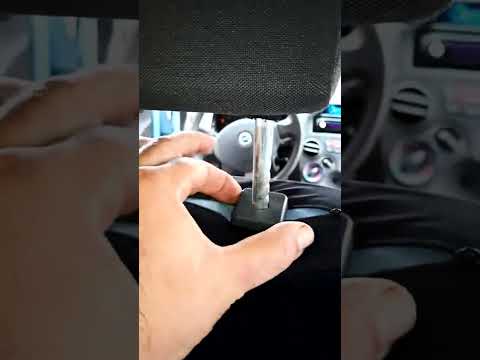
Below are the instructions to remove the headrests, both front and rear, from the Fiat Panda. First, get inside the vehicle and press and hold the side button located at the base of the headrest. Then, while holding the button, pull the headrest upwards to remove it, as shown in the video. At this point, perform the same operation on the other headrests. Now, simply insert them back in while holding the button, and finally adjust the height of all the headrests! by ScegliAuto More videos
|
|
For advertising on this site Write to info@scegliauto.com
ScegliAuto is not responsible for any inaccuracy of the data in the lists. To report any inaccuracy or your business (if you own the business in question), please write to info@scegliauto.com
Number of seconds to generate the page: 0.121
(c) ScegliAuto 2026 - info@scegliauto.com - Privacy policy VAT number: IT01247470535 |
