
|
Do it yourself
| |||
| ||||


How to check the firmware version of the touchscreen of the Peugeot 208/2008
Model: Peugeot 2008
MK 2
- Years 2019-2026
Let's see how to check the firmware version on the touchscreen of a Peugeot 208 or 2008: press and hold the "menu" button on the touchscreen for about 5/10 seconds. A technical screen will open displaying the release date of the firmware (the one in the video highlights the original one); the software version number, and other technical data of the system. Use the "next" or "forward" buttons to scroll through the various information screens. We will find different technical specifications of the multimedia system. This information is useful for checking for available updates, troubleshooting touchscreen issues, checking if the system is up to date, and diagnosing malfunctions. Take note of the data you find: it may be useful in the workshop. The date shown is the release date of the firmware, not the installation date.
Posted on 30 October 2025 by ScegliAuto
Video tutorial
Related tutorials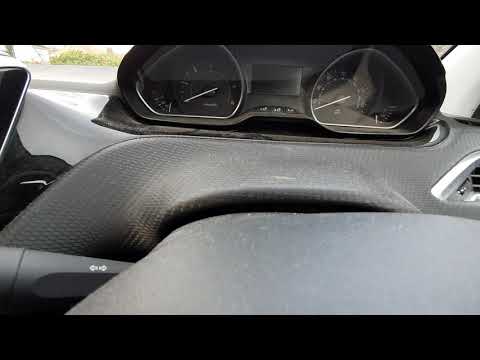
Peugeot 2008
(2019-2026 /
MK 2)
In today's video, learn how to reset the tyre pressure light on the Peugeot 2008; this tutorial may also be useful for other similar models, such as …

Peugeot 2008
(2013-2019 /
MK 1)
In this video tutorial, you will learn how to remove and replace the diesel filter on Peugeot 2008 and 208 models. First, lift the car and locate the…

Peugeot 2008
(2019-2026 /
MK 2)
There are many tasks that can be easily performed in a car without the need for external equipment or specific technical skills. One of these is sett…
Other guides you may be interested in
|
Frequently Asked QuestionsHow to Replace the Cabin Filter on the Opel Grandland X
If you own an Opel Grandland X and want to know the steps to replace the cabin air filter, carefully read the following guide and follow the described steps. First, enter the vehicle and go to the passenger side. Then, locate the box containing the air filter in the lower side area of the dashboard. Remove the cover of the box and finally replace the old filter with the new one. Refit the cover, and you are done. by ScegliAuto More videos
|

|
For advertising on this site Write to info@scegliauto.com
ScegliAuto is not responsible for any inaccuracy of the data in the lists. To report any inaccuracy or your business (if you own the business in question), please write to info@scegliauto.com
Number of seconds to generate the page: 0.207
(c) ScegliAuto 2026 - info@scegliauto.com - Privacy policy VAT number: IT01247470535 |
