
|
Do it yourself
| |||
| ||||


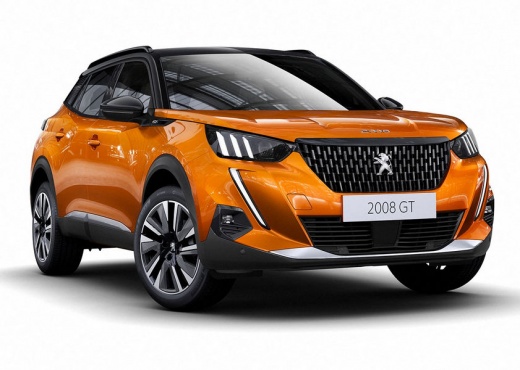
How to Reprogram the GPS of the Peugeot 2008 Sat Nav?
Model: Peugeot 2008
MK 2
- Years:
2019, 2020, 2021, 2022, 2023, 2024, 2025, 2026
Video tutorial
The sat nav in your vehicle also requires updates from time to time, or rather a check of the settings, especially if an update has been downloaded from the internet and installed. This is the case this time for the Peugeot 2008. The good thing about this is that you can carry out this type of intervention independently, using only the controls of the sat nav and nothing else. In the tutorial video, we can see that the user sets the map selection by choosing Map Settings, Maps, Search, Confirm, and then selects the countries of interest, such as France, Spain, the UK, and so on.
Posted on 15 March 2026 by ScegliAuto
Related tutorials
Peugeot 2008
(2019-2026 /
MK 2)
The GPS is the main component of the satellite navigation system, as its functionality depends on it, provided that the maps are always up to date. B…

Peugeot 2008
(2019-2026 /
MK 2)
To update the navigation system software, you need to insert the update files onto a suitable USB stick, as shown in the tutorial. To copy the files,…

Peugeot 2008
(2013-2019 /
MK 1)
Let's see how to update the maps on a Peugeot 2008 MK1: you should have downloaded the maps from the MyPeugeot website onto a USB stick formatted in …
Other guides you may be interested in
|
Frequently Asked QuestionsHow to Open the Fuel Flap on a Volkswagen Tiguan?
To open the fuel flap on a Volkswagen Tiguan, first unlock the car using the appropriate button on the remote. This will open the car and unlock the mechanism that controls the fuel flap. At this point, apply light pressure to the left side of the flap to open it and access the cap underneath. Once this is unscrewed, you can refuel and then close everything. by ScegliAuto More videos
|
|
For advertising on this site Write to info@scegliauto.com
ScegliAuto is not responsible for any inaccuracy of the data in the lists. To report any inaccuracy or your business (if you own the business in question), please write to info@scegliauto.com
Number of seconds to generate the page: 0.009
(c) ScegliAuto 2026 - info@scegliauto.com - Privacy policy VAT number: IT01247470535 |
