
|
Do it yourself
| |||
| ||||


|
Model: Piaggio Beverly 125
In this video, learn how to set the time and background light on the Piaggio Beverly: turn on the ignition by placing the key in the "on" position; press and hold the "set" button for more than five seconds until the time starts to flash. Adjust the time, then quickly press the "set" button three times to switch to minutes; adjust this as well. To exit, press the "set" button quickly three times again. If desired, you can change the display colour. Press and hold the "set" button, then press the "mode" button twice, "slowly", to change the background colour from blue to white.
Updated on 30 August 2026 by ScegliAuto
Video tutorial
Related tutorials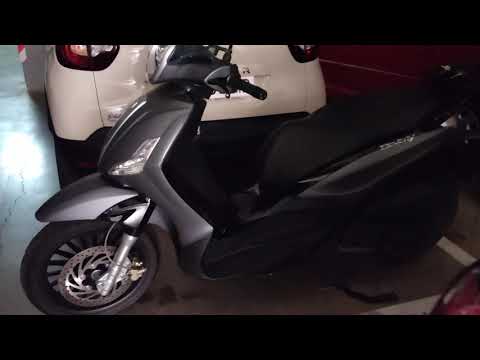
Beverly 125
In this new mini guide for Piaggio Beverly 125 owners, you will discover how to reset the service light without using diagnostic tools. First, place …

Beverly 125
In order to adjust the clock of the Piaggio Beverly 125, you need to turn on the instrument panel by inserting the ignition key into the correspondin…
Beverly 125
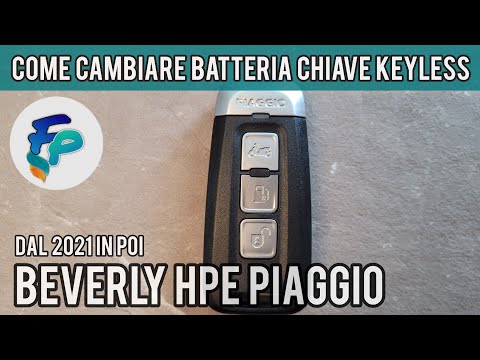
In this new guide for your 2021 Piaggio Beverly, you will learn how to replace the button battery inside the key. First, obtain a small flat screwdri…
|
How to Replace the Battery in a Yamaha Vino 125 Scooter?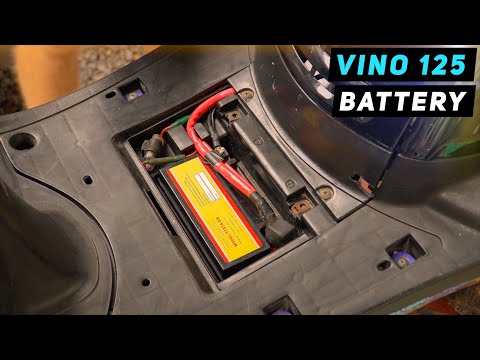
In this tutorial, you will see how to replace the battery in a Yamaha Vino 125 scooter, a very simple and quick operation. First, ensure that the key is not inserted for safety. Then, lift the rubber mat and, using a simple cross-head screwdriver, unscrew the two screws securing the plastic cover. Once opened, disconnect both terminals, starting with the negative, and remove the battery from its housing. To fit the replacement, simply follow the reverse procedure. by ScegliAuto More videos
|
|
For advertising on this site Write to info@scegliauto.com
ScegliAuto is not responsible for any inaccuracy of the data in the lists. To report any inaccuracy or your business (if you own the business in question), please write to info@scegliauto.com
Number of seconds to generate the page: 0.018
(c) ScegliAuto 2026 - info@scegliauto.com - Privacy policy VAT number: IT01247470535 |
