
|
Do it yourself
| |||
| ||||


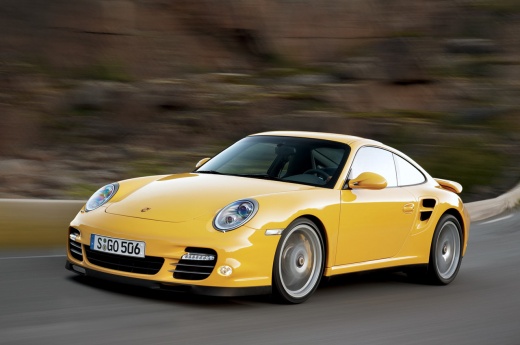
Removing Headlight on Porsche 911
Model: Porsche 911
997
- Years:
2005, 2006, 2007, 2008, 2009, 2010, 2011
Video tutorial
Remove the front headlight on Porsche 911. Open the hood by pulling the lever inside the cabin and secure it. Remove the cover cloth next to the headlight, then use the provided wrench to unscrew the retaining bolts in the hole inside the trunk. Once the locking bolts are removed, take the headlight out of the front bumper. Pull the socket out of the headlight and extract the damaged bulb with the help of a screwdriver. Install the headlight (new if damaged) with new bulbs (always the correct type and size) in the front bumper housing. Test the correct operation of the bulbs and the headlight.
Updated on 17 March 2026 by ScegliAuto
Related tutorials
Porsche 911
(1997-2005 /
996)
Today’s steps will show you how to remove and replace the front headlight and its bulbs on the Porsche 911. First, open the hood and start unscrewing…

Porsche 911
(1997-2005 /
996)
Start by inserting the tip of a small flathead screwdriver into the key of your Porsche 911 and prying it open. This will expose the dead battery. Pr…

Porsche 911
(1982-1991 /
)
In this video, you will see the main instructions on how to remove the front headlight from a 1982 Porsche 911 Carrera, first series. To remove it, o…
Other guides you may be interested in
|
How to open the bonnet on a Volkswagen Golf?
In this tutorial, you will see how to open the bonnet on a Volkswagen Golf MK4. This is a very simple operation that follows the standard procedure. First, open the driver's door, then locate the lever in the lower left area and pull it. Next, move to the front of the vehicle, lift the bonnet slightly, and find the second lever located just above the Volkswagen logo. At this point, simply pull it towards you, fully open the bonnet, and secure it with the prop rod. To close it, gently push it down. by ScegliAuto More videos
|
|
For advertising on this site Write to info@scegliauto.com
ScegliAuto is not responsible for any inaccuracy of the data in the lists. To report any inaccuracy or your business (if you own the business in question), please write to info@scegliauto.com
Number of seconds to generate the page: 0.033
(c) ScegliAuto 2026 - info@scegliauto.com - Privacy policy VAT number: IT01247470535 |
