
|
Do it yourself
| |||
| ||||


How do I reset the uConnect system on the Dodge Ram?
Model: RAM 1500
DS, MK 4, DJ
- Years 2009-2019
In order to reset the Dodge Ram's uConnect system, you need to insert the key and turn on the instrument panel, so you can turn on the central dashboard display. Here you will need to hold down the buttons with the arrows pointing up and down, next to the central wheel. By doing so, a menu will appear on the display, in which it will be necessary to select the "Reset to factory default" item: in this way, by confirming the following message with "Yes", the system will be brought to the factory settings. It is recommended to wait approximately thirty seconds before shutting down and restarting the system.
Posted on 24 November 2021 by ScegliAuto
Video tutorial
Related tutorials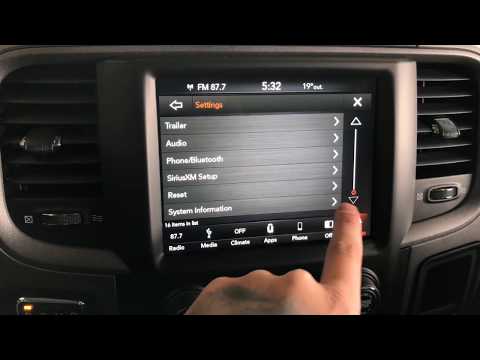
RAM 1500
(2019-2026 /
MK 5, DT)
In order to reset the Dodge RAM uConnect system, you must go inside the passenger compartment and turn on the instrument panel. You will need to sele…

RAM 1500
(2019-2026 /
MK 5, DT)
The uconnect system mentioned above allows the management of connections, via Bluetooth, between the phone or other device and the car radio, giving …

RAM 1500
(2019-2026 /
MK 5, DT)
In order to perform a reset of the uConnect system of the RAM 1500 car radio, you will need to insert the ignition key and turn on the instrument pan…
Other guides you may be interested in
|
How to Replace the Rear Headlight Bulbs on a Peugeot 308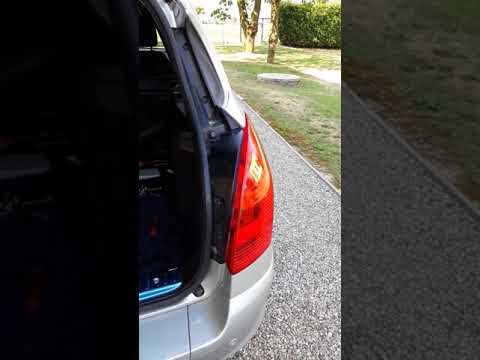
Are the rear lights on your Peugeot 308 SW not working? This video shows how to replace the damaged bulbs. Open the boot lid, and using a screwdriver, unscrew (with a socket wrench or screwdriver with a bit) the securing nuts located at the side of the rear headlight. Once the headlight is free from any constraints, detach it from the bodywork (disconnect the relevant power connectors). Replace the damaged bulbs with identical ones in size and voltage. Finally, refit the headlight and reverse the assembly of the other parts. by ScegliAuto More videos
|
|
For advertising on this site Write to info@scegliauto.com
ScegliAuto is not responsible for any inaccuracy of the data in the lists. To report any inaccuracy or your business (if you own the business in question), please write to info@scegliauto.com
Number of seconds to generate the page: 0.113
(c) ScegliAuto 2026 - info@scegliauto.com - Privacy policy VAT number: IT01247470535 |
