
|
Do it yourself
| |||
| ||||


How to reset the oil service in the RAM 3500 pick-up?
Model: RAM 3500
DJ, DS, MK 4
- Years 2009-2019
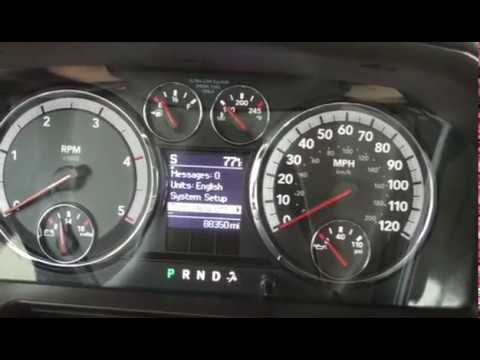
In this video we can see how to reset the oil service in the RAM 3500 pick-up, a very simple and fast operation, to be followed only after having changed the oil and its filter. First of all we turn on the instrument panel, not the engine, then we press the accelerator pedal fully 3 consecutive times. Subsequently, we restart the framework and verify that the procedure has been successful. We can do this through the display at the top of the windshield, navigating between the various screens with the first button on the left. If the message "oil change" does not appear, the procedure has been carried out correctly.
Posted on 12 February 2022 by ScegliAuto
Video tutorial
Related tutorials
RAM 3500
(2019-2026 /
MK 5, DT)
.. In this tutorial, we can see how to reset the oil service in the RAM 3500 pick-up, an extremely simple and quick operation, to be.. …
RAM 3500
(2009-2019 /
DJ, DS, MK 4)
In this tutorial we can see how to reset the service in the RAM 3500 pick-up, a very simple and fast operation. Obviously, before doing this, it will…

RAM 3500
(2019-2026 /
MK 5, DT)
If the AdBlue warning light has come on in the instrument panel of our RAM 3500 pickup, it means that the fluid in the emissions system has reached t…
Other guides you may be interested in
|
How to Replace the Fuel Filter on a Ford Focus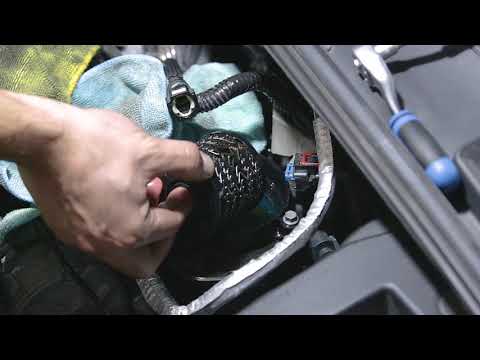
Want to replace the fuel filter on your car without incurring labour costs? Follow this guide to remove the fuel filter on a Ford Focus yourself. First, lift the bonnet and secure it. Once you locate the fuel filter, disconnect it from the pipes and wiring. Use a spanner and socket to unscrew the securing bolts of the upper filter cover, then unscrew the central bolt on the filter. Remove the worn filter and refit the cap with the new filter. Reattach the filter cover in the engine bay with all its parts (pipes and wiring). by ScegliAuto More videos
|
|
For advertising on this site Write to info@scegliauto.com
ScegliAuto is not responsible for any inaccuracy of the data in the lists. To report any inaccuracy or your business (if you own the business in question), please write to info@scegliauto.com
Number of seconds to generate the page: 0.050
(c) ScegliAuto 2026 - info@scegliauto.com - Privacy policy VAT number: IT01247470535 |
