
|
Do it yourself
| |||
| ||||


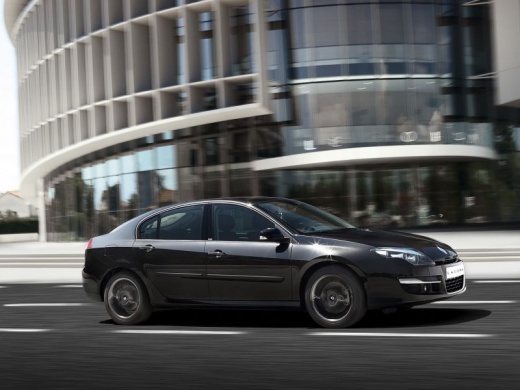
How to Remove the Brake Disc on a Renault Laguna SW
Model: Renault Laguna
MK III, X91, Laguna III, MK 3, Laguna 3
- Years:
2007, 2008, 2009, 2010, 2011, 2012, 2013, 2014, 2015
Video tutorial
In this guide, learn how to remove the brake disc along with the brake pads on a Renault Laguna. First, lift the car on a column lift to the desired height, then remove the rear wheel (using a telescopic spanner or air impact wrench) along with the respective bolts. Undo the locking bolt of the brake caliper and remove it from the caliper bracket. Use a socket spanner to detach the caliper bracket from the wheel hub, then unscrew the screws with a fixed spanner and detach the disc from the wheel hub. Disconnect the various wiring and brake fluid pipes from the wheel assembly, then fit the new disc along with the respective pads, brake caliper, caliper bracket, etc.
Updated on 2 March 2026 by ScegliAuto
Related tutorials
Renault Laguna
(2001-2007 /
MK 2, X74, Laguna 2)
This guide provides the main instructions on how to adjust the handbrake cable on a Renault Laguna. First, get inside the vehicle and start by removi…

Renault Laguna
(2007-2015 /
MK III, X91, Laguna III, MK 3, Laguna 3)
If the message "Parking brake fault" appears on your Renault Laguna, before panicking try to reset it. Turn off the car, close the doors and wait a c…

Renault Laguna
(2007-2015 /
MK III, X91, Laguna III, MK 3, Laguna 3)
In this video, you will see how to remove and replace the front brake pads on a third-generation Renault Laguna. First, lift the vehicle and remove t…
Other guides you may be interested in
|
How to Open the Fuel Flap on a Volkswagen Tiguan?
To open the fuel flap on a Volkswagen Tiguan, first unlock the car using the appropriate button on the remote. This will open the car and unlock the mechanism that controls the fuel flap. At this point, apply light pressure to the left side of the flap to open it and access the cap underneath. Once this is unscrewed, you can refuel and then close everything. by ScegliAuto More videos
|
|
For advertising on this site Write to info@scegliauto.com
ScegliAuto is not responsible for any inaccuracy of the data in the lists. To report any inaccuracy or your business (if you own the business in question), please write to info@scegliauto.com
Number of seconds to generate the page: 0.258
(c) ScegliAuto 2026 - info@scegliauto.com - Privacy policy VAT number: IT01247470535 |
