
|
Do it yourself
| |||
| ||||


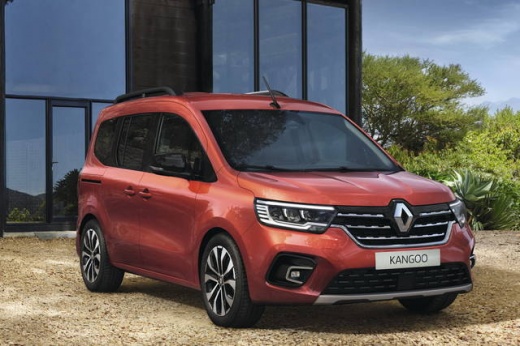
How to deactivate lane keeping assistance on the Renault Kangoo III
Model: Renault Kangoo
KFK, MK 3, FFK
- Years 2020-2026
Many users find lane keeping ADAS annoying. Although we do not recommend turning it off - especially on a commercial vehicle - it is right to be able to do so. The operation must be done through the multimedia screen, via "vehicle", from there we select "driving assistance", we look for the active settings and find the one that interests us: lane change warning between discontinuous lines. There is the possibility of alerts through vibration, sound or light, but the youtuber deactivates everything, leaving the other set alerts active.
Posted on 1 May 2025 by ScegliAuto
Video tutorial
Related tutorials
Renault Kangoo
(2020-2026 /
KFK, MK 3, FFK)
Euro NCAP tested the Renault Kangoo Van in 2025, achieving an overall score of 4 stars out of 5. The lane keeping test was deemed effective; the syst…

Renault Kangoo
(2020-2026 /
KFK, MK 3, FFK)
In this brief guide, you will disable the speed limit alarm on the Renault Kangoo. First, get in the vehicle and start the instrument panel; then go …

Renault Kangoo
(1997-2008 /
MK 1, KC, KW)
In order to deactivate the immobilizer of the Renault Kangoo, you need to remove the specific control unit that regulates its operation: this can be …
Other guides you may be interested in
|
How to Bleed the Clutch on a Renault Clio?
To bleed the clutch on a Renault Clio, open the bonnet to access the components located in the engine bay: here, you will need to undo the screws that secure the battery in its housing, the intake manifold, and the coolant reservoir. This will allow you to locate the pipe through which the brake fluid flows: by inserting the other end of the pipe into a container, you can press the clutch pedal to expel all the fluid until it fills the container. by ScegliAuto More videos
|
|
For advertising on this site Write to info@scegliauto.com
ScegliAuto is not responsible for any inaccuracy of the data in the lists. To report any inaccuracy or your business (if you own the business in question), please write to info@scegliauto.com
Number of seconds to generate the page: 0.711
(c) ScegliAuto 2026 - info@scegliauto.com - Privacy policy VAT number: IT01247470535 |
