
|
Do it yourself
| |||
| ||||


How to enter the radio code and change the time on a Renault Trafic
Model: Renault Trafic
MK 2
- Years 2001-2014
Let's see how to enter the radio code - and adjust the clock - on Renault Trafic as well as on Opel Vivaro and Nissan Primastar. The radio code, which we need in case we have disconnected the battery, can be found in the user manual, annotated with pen by the dealer. If we can't find it, we must look for the security code, which is located on the right side of the radio, or by simultaneously pressing buttons 1 and 6 on the device (before disconnecting the battery). The YouTuber suggests a YouTube video, but we recommend instant-radio-code.com by entering the VIN of the vehicle. To adjust the time, we must press the button located above the lever to the right of the steering wheel. The numbers will start flashing and we can adjust the time with the up/down buttons next to the lever when the numbers start flashing. Pressing the button on the lever again will switch to minutes, and then pressing it again will confirm.
Posted on 14 May 2025 by ScegliAuto
Video tutorial
Related tutorials
Renault Trafic
(2001-2014 /
MK 2)
In this new guide aimed at all of you who own a second-generation Renault Trafic, we explain how you can quickly and safely set the correct time. Fir…

Renault Trafic
(2001-2014 /
MK 2)
When you replace the battery of the Renault Traffic reading, it is likely that when you turn on the instrument panel, the radio will be locked, so it…

Renault Trafic
(2001-2014 /
MK 2)
In this tutorial we can see how to adjust the time in the Renault Trafic van, an extremely simple and fast operation, to be carried out for example a…
Other guides you may be interested in
|
Reset the Service Light on Fiat Bravo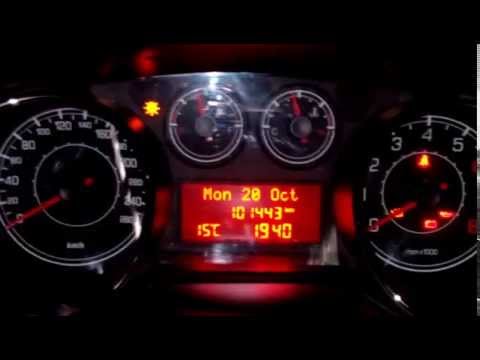
Has the service light appeared on the instrument cluster of your Fiat Bravo? Let's reset it. Turn on the ignition, press the "Set" button located on the central dashboard, then, once in the settings menu, scroll using the up/down buttons until you find the "Reset Maintenance" option. Select it with the set button to turn off the tyre pressure warning light and exit the settings menu. Check the instrument cluster by turning it off and on again with the ignition key. Retry the reset if the issue persists. by ScegliAuto More videos
|
|
For advertising on this site Write to info@scegliauto.com
ScegliAuto is not responsible for any inaccuracy of the data in the lists. To report any inaccuracy or your business (if you own the business in question), please write to info@scegliauto.com
Number of seconds to generate the page: 0.114
(c) ScegliAuto 2026 - info@scegliauto.com - Privacy policy VAT number: IT01247470535 |
