
|
Do it yourself
| |||
| ||||


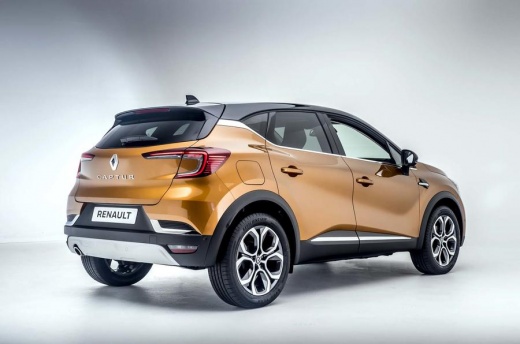
How to deactivate and customize ADAS on Renault and Dacia vehicles
Model: Renault Captur
MK 2
- Years:
2019, 2020, 2021, 2022, 2023, 2024, 2025, 2026
Video tutorial
Let's see how to deactivate and customize the ADAS on Renault and Dacia: the system is the same on both brands and is based on the "my safety" button. We go to the infotainment menu and press the car icon: here we select the "driver assistance" voice; we choose the "customized" option instead of "all ON". Click on "configure my safety". At this point we can activate or deactivate each ADAS system according to our personal preferences: "lane departure prevention" which can be deactivated; "speed limit warning" which can be silenced; "blind spot alert" which is very useful, we do not recommend deactivating it; "safe distance" which we can adjust according to our preferences; "fatigue detector" sound warning that we can keep active. The recommended strategy in the video is to keep everything active on the highway, and to set the customized mode for the city and provincial roads.
Posted on 4 November 2025 by ScegliAuto
Related tutorials
Renault Captur
(2019-2026 /
MK 2)
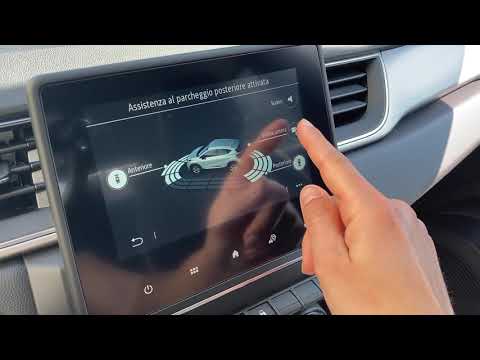
In this video, you will learn how to fully customise the multimedia screen of the onboard computer in your Renault Captur: select the menu: settings …
Renault Captur
(2013-2019 /
MK 1)
This video shows the settings and all the features of the infotainment system on the Renault Captur. This video is useful for anyone needing to under…

Renault Captur
(2019-2026 /
MK 2)
So, after changing the windshield of your car, you need to realign the front camera to properly operate the ADAS systems, such as automatic braking a…
Other guides you may be interested in |
Frequently Asked QuestionsHow to Remove the Toll Tag Holder from the Car Windscreen
The toll tag holder is usually attached to the car windscreen to ensure that the toll tag functions immediately when passing through barriers. However, if you decide to remove the holder, you should follow this procedure: - Insert the toll tag into the holder; - Pull the holder inwards to detach it from the windscreen; you can use a glass scraper or a stiff plastic card to assist you; After removing the holder, it is essential to remove the adhesive from the windscreen. To remove the adhesive, we recommend using a solvent-based spray that will remove the glue without clouding the area. by ScegliAuto More videos
|
|
For advertising on this site Write to info@scegliauto.com
ScegliAuto is not responsible for any inaccuracy of the data in the lists. To report any inaccuracy or your business (if you own the business in question), please write to info@scegliauto.com
Number of seconds to generate the page: 0.014
(c) ScegliAuto 2026 - info@scegliauto.com - Privacy policy VAT number: IT01247470535 |
