
|
Do it yourself
| |||
| ||||



How to reset the maintenance light on the Renault Captur.
Model: Renault Captur
MK 1
- Years 2013-2019
Video tutorial
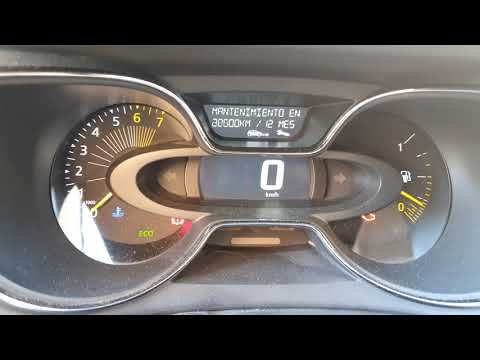
Detailed instructions - In the following guide aimed at all of you who own a first-generation Renault Captur, we will describe all the steps you need to follow if you intend to perform a manual reset of the service light. First of all, get into the car and turn on the instrument panel, then locate the two buttons at the end of the right lever of the steering wheel and press the lower one for a few seconds. Release it as soon as a new screen appears on the display, then scroll through the various available options and find "Oil change in." Finally, press and hold the same button used earlier until the reset of the light is complete.
Posted on 26 November 2025 by ScegliAuto
Related tutorials
Renault Captur
(2019-2026 /
MK 2)
To reset the "Service" light on a Renault Captur, use the buttons on the steering wheel to access the on-board computer menu. With the ignition on bu…

Renault Captur
(2013-2019 /
MK 1)
Learn how to reset the maintenance warning light on a Renault Captur. Enter the cabin of the Captur and turn on the instrument panel with the ignitio…
Renault Captur
(2013-2019 /
MK 1)
In today's video, we will see how to reset the service light in the first series Renault Captur; this will restore the maintenance due date to 12 mon…
Other guides you may be interested in
|
How to set the clock on the Vespa 125 Primavera?
To set the clock on the Vespa 125 Primavera, press and hold the black button located just below the black knob on the bike: keep the button pressed until the hour number starts to flash. Once it is flashing, you can change the hours with single presses of the same button; then, by pressing and holding the button again, the hour number will stop flashing and the minute number will start to flash, which can be modified in the same way, confirming the input by holding the button. by ScegliAuto More videos
|
|
For advertising on this site Write to info@scegliauto.com
ScegliAuto is not responsible for any inaccuracy of the data in the lists. To report any inaccuracy or your business (if you own the business in question), please write to info@scegliauto.com
Number of seconds to generate the page: 0.454
(c) ScegliAuto 2026 - info@scegliauto.com - Privacy policy VAT number: IT01247470535 |
