
|
Do it yourself
| |||
| ||||


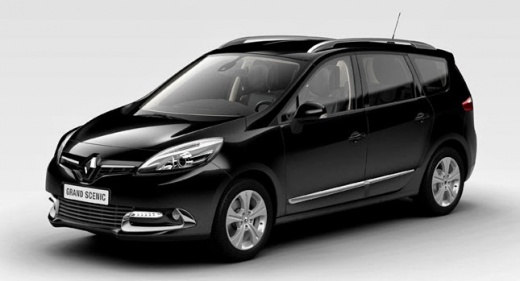
How to adjust the clock of the Renault Scenic 3 using GPS signal?
Model: Renault Scenic
MK III, Scenic III, Scenic 3, MK 3
- Years:
2009, 2010, 2011, 2012, 2013, 2014, 2015
Video tutorial
The screen of the multimedia system we see in the video belongs to the Renault Scenic 3, the vehicle in question. Do you want to know how to adjust the clock automatically instead of manually? Here is the answer: it is based on GPS technology, specifically managed by R-Link technology, which allows us to use various information at our disposal, including satellite navigation, and thus also the clock. By selecting the Automatic Synchronisation option after accessing the Menu, System, and finally Date and Time, you will activate the possibility of updating the time without any manual intervention; it will happen automatically.
Posted on 26 April 2026 by ScegliAuto
Related tutorials
Renault Scenic
(2009-2015 /
MK III, Scenic III, Scenic 3, MK 3)
For owners of the Renault Scenic, specifically the Renault Scenic 3, who do not know how to adjust the clock in their vehicle, the correct informatio…

Renault Scenic
(2009-2015 /
MK III, Scenic III, Scenic 3, MK 3)
With the transition from daylight saving time to standard time and vice versa, you may need to adjust the clock on your Renault Scenic 3, as reviewed…

Renault Scenic
(2009-2015 /
MK III, Scenic III, Scenic 3, MK 3)
The moments when we need to adjust the clock in our Renault Scenic, specifically the Renault Scenic 3 in this case, are the transitions from daylight…
Other guides you may be interested in
|
How to Reset the Tyre Pressure Warning Light on a Kia Rio?
The tyre pressure warning light displayed on the instrument cluster of the Kia Rio can be reset by inflating the tyres until they reach the recommended pressure value: this value is indicated on the sticker affixed to the driver's door pillar. Once all tyres have been inflated to the recommended pressure, turn on the ignition to check that the light has disappeared: if it is still present, it may be necessary to drive for a few miles, allowing the sensors to work and thus turning off the light. by ScegliAuto More videos
|
|
For advertising on this site Write to info@scegliauto.com
ScegliAuto is not responsible for any inaccuracy of the data in the lists. To report any inaccuracy or your business (if you own the business in question), please write to info@scegliauto.com
Number of seconds to generate the page: 0.058
(c) ScegliAuto 2026 - info@scegliauto.com - Privacy policy VAT number: IT01247470535 |
