
|
Do it yourself
| |||
| ||||


How to Replace the Brake Shoes on a Renault Clio
Model: Renault Clio
MK 2, Clio 2
- Years:
1998, 1999, 2000, 2001, 2002, 2003, 2004, 2005
Video tutorial
Learn how to replace the rear brake shoes on a Renault Clio. Position the car on a column lift, loosen the pins with a socket spanner, and raise it to a comfortable height (remove the wheel). Unscrew the locking pins of the drum cover with a socket spanner, then remove it from the wheel hub. Dismantle the bearing from the hub using a socket spanner. Once you have unscrewed the central pin, extract the worn shoes and fit the new ones. Prepare to install the new brake kit by reversing the previous steps. Clean all dirt and debris from the dismantled parts with brushes. Before reassembly, lubricate the parts as shown in the video.
Updated on 10 March 2026 by ScegliAuto
Related tutorials
Renault Clio
(1998-2005 /
MK 2, Clio 2)
This video illustrates how to replace the brake pads on a Renault Clio. First, remove the rear wheel after positioning the vehicle on a jack. Once yo…

Renault Clio
(2005-2013 /
Clio 3, MK 3, Clio III)
To replace the front brake pads on a Renault Clio III, start by purchasing Brembo pads on eBay with code 272825496362 for £27.45. Open the cap of the…
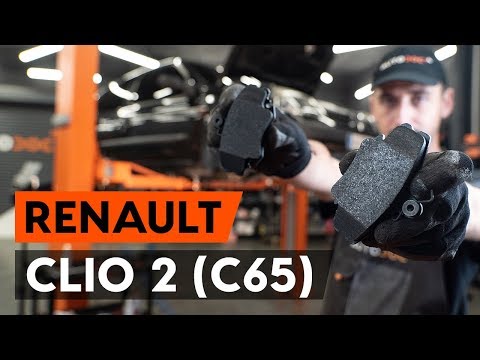
Renault Clio
(1998-2005 /
MK 2, Clio 2)
In this video tutorial, you will learn how to disassemble and replace the front brake pads on a Renault Clio 2. First, unscrew the bolts from the whe…
Other guides you may be interested in
|
Frequently Asked QuestionsHow to Set the Time on an Audi A6
Briefly, we will see the instructions to set the time on the Audi A6 by following these simple steps. First, get inside the vehicle and turn on the instrument cluster; then press the settings button and navigate to the time option to confirm your choice, as shown in the video. At this point, set the correct time and format, then exit the settings menu to save the changes made; finally, start the engine and ensure that the time has been set correctly! by ScegliAuto More videos
|
|
For advertising on this site Write to info@scegliauto.com
ScegliAuto is not responsible for any inaccuracy of the data in the lists. To report any inaccuracy or your business (if you own the business in question), please write to info@scegliauto.com
Number of seconds to generate the page: 0.017
(c) ScegliAuto 2026 - info@scegliauto.com - Privacy policy VAT number: IT01247470535 |
