
|
Do it yourself
| |||
| ||||


How to Replace the Front Headlight Bulb of the Renault Twingo
Model: Renault Twingo
Twingo 1
- Years:
1993, 1994, 1995, 1996, 1997, 1998, 1999, 2000, 2001, 2002, 2003, 2004
Video tutorial
If you own a first generation Renault Twingo (1993-2007) and want to know how to replace the front headlight bulb, you are in the right place. Below, you will discover the various steps to complete this operation in just a few minutes and with maximum safety. First, park the vehicle and turn it off completely. Then, lift the front bonnet and remove the plastic cover located at the rear of the headlight. Remove the bulb holder and proceed to replace the bulb.
Updated on 18 July 2026 by ScegliAuto
Related tutorials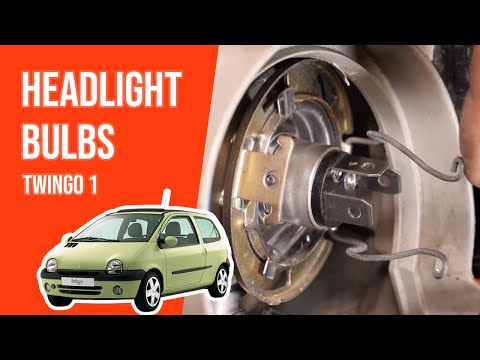
Renault Twingo
(1993-2007 /
Twingo 1)
Before starting, open the front bonnet of your Renault Twingo. Begin by unfastening the clip that secures the inner cover of the blown bulb, then mov…

Renault Twingo
(2007-2014 /
Twingo 2)
To replace the headlight bulb of the Renault Twingo, you need to open the hood so that you can access the inner area of the corresponding optical gro…

Renault Twingo
(2014-2024 /
Twingo III, Twingo 3)
To replace the front headlamp bulb on your Renault Twingo Mk3 quickly and safely, follow the steps outlined in this guide. First, lift the bonnet of …
Other guides you may be interested in
|
How to Open the Bonnet on the Mitsubishi L200?
In this tutorial, you will see how to open the bonnet on the Mitsubishi L200, a very simple operation that follows the standard procedure. First, open the vehicle and go to the driver's side, then locate the lever at the lower outer area, just in front of the pedals, and pull it. Next, position yourself in front of the bonnet, locate the second lever above the Mitsubishi logo, and push it to the right, releasing the latch. At this point, you can fully lift the bonnet and secure it with the prop rod. by ScegliAuto More videos
|
|
For advertising on this site Write to info@scegliauto.com
ScegliAuto is not responsible for any inaccuracy of the data in the lists. To report any inaccuracy or your business (if you own the business in question), please write to info@scegliauto.com
Number of seconds to generate the page: 0.100
(c) ScegliAuto 2026 - info@scegliauto.com - Privacy policy VAT number: IT01247470535 |
