
|
Do it yourself
| |||
| ||||


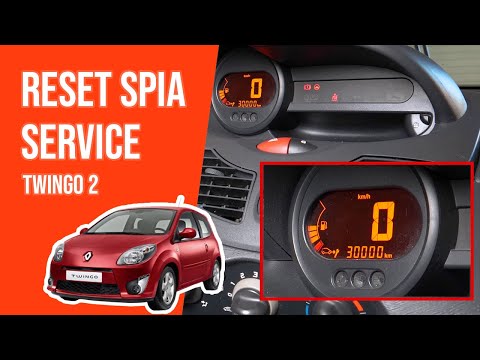
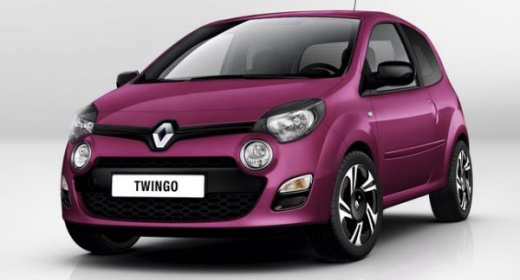
To reset the service light on the Renault Twingo 2011.
Model: Renault Twingo
Twingo 2
- Years 2007-2014
The necessary procedure to successfully complete the manual reset of the service light on your Renault Twingo second generation (2011 model year) is very simple and only takes a few seconds. First, go inside the cabin and reach the driver's seat. Then insert the key and turn on the instrument panel. At this point, scroll through the onboard menu by pressing the button located at the end of the right steering wheel lever several times. Once you find the light with a small wrench symbol, hold down the same button and release it when the reset is complete.
Posted on 11 September 2023 by ScegliAuto
Video tutorial
Related tutorials
Renault Twingo
(2007-2014 /
Twingo 2)
The Service light that appears on the instrument panel of the Renault Twingo can be reset by inserting the key to turn on the instrument panel: once …
Renault Twingo
(2007-2014 /
Twingo 2)
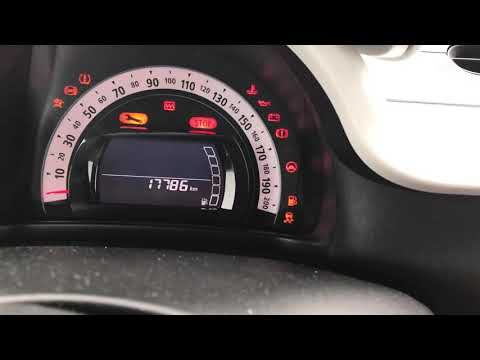
In order to reset the Service light of the Renault Twingo, you need to turn on the instrument panel by turning the special key inside the ignition sw…
Renault Twingo
(2014-2024 /
Twingo 3, Twingo III)
To reset the Renault Twingo's Service light, you need to turn on the instrument panel by turning the appropriate key inside the ignition block. Once …
Other guides you may be interested in
|
How to Remove the Diesel Filter from a Peugeot 207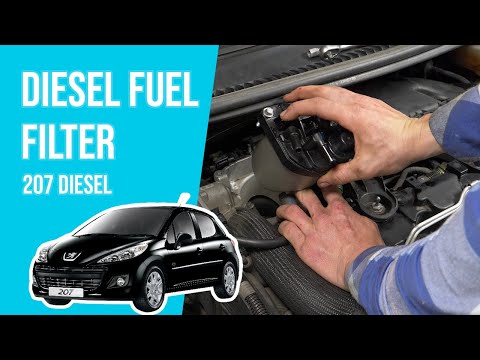
Lift the bonnet; remove the soundproofing panel from the engine and locate the diesel filter (as shown in the video). Using a socket wrench, unscrew the bolts (a spanner can also be used) near the container where the diesel filter is located. Once the filter is removed, disconnect the circulation hoses and take it out of the vehicle (replace it with a new filter). Finally, refit the filter to the attached container of the diesel filter (connect the hoses and wires) and tighten the appropriate bolts. Close the bonnet afterwards. by ScegliAuto More videos
|
|
For advertising on this site Write to info@scegliauto.com
ScegliAuto is not responsible for any inaccuracy of the data in the lists. To report any inaccuracy or your business (if you own the business in question), please write to info@scegliauto.com
Number of seconds to generate the page: 0.113
(c) ScegliAuto 2026 - info@scegliauto.com - Privacy policy VAT number: IT01247470535 |
