
|
Do it yourself
| |||
| ||||


Removing and Updating Car Radio Software
Model: Renault Scenic
Scenic 2, MK 2
- Years:
2003, 2004, 2005, 2006, 2007, 2008, 2009
Video tutorial
To update the software, you need the appropriate jig and the corresponding SD programming card. First, remove the car radio from its housing using the supplied tools. At the back of the car radio, there is the appropriate connector for the software update. Open the glove compartment and drill a hole in the left partition to connect with the car radio compartment. The hole must be large enough to pass the jig connector through. Once the hole is made, pass the jig connector through and connect it to the designated connector on the car radio. Refit the car radio, ensuring not to pinch any cables. Place the jig in the glove compartment and insert the SD card into the connector. Turn on the car radio and wait for the new software to load. Do not disconnect the card or turn off the car radio during this process. Once the update is complete, check for proper functionality and new features.
Updated on 2 February 2026 by ScegliAuto
Related tutorials
Renault Scenic
(2016-2022 /
Scenic IV, Scenic 4, MK IV, MK 4)
If you think it's time to upgrade the aesthetics and electronic features of your Renault Scenic 4, then this video is for you. Learn how to dismantle…
Renault Scenic
(1996-2003 /
)
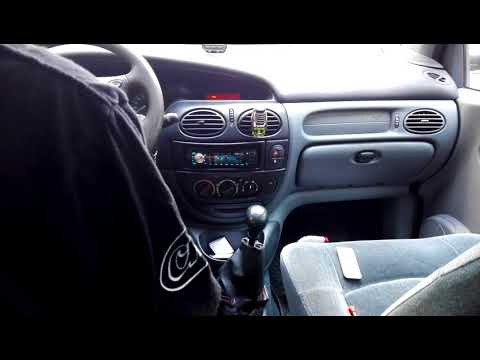
Let’s look at the removal and installation of the radio in a Renault Scenic. Use the original metal keys that came with the radio. Insert the keys in…
Renault Scenic
(2003-2009 /
Scenic 2, MK 2)
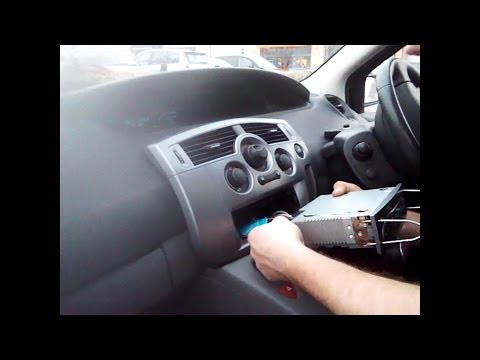
In case of a fault or replacement of the car radio with newer models, proceed as follows. To remove the radio from the console without damaging the b…
Other guides you may be interested in
|
How to Open the Fuel Filler Flap in the Hyundai i30?
In this tutorial, you will learn how to open the fuel filler flap in the Hyundai i30, a very simple operation that follows the typical procedure of most vehicles. First, unlock the locks using the designated button on the remote, then open the driver's door, locate the release lever on the left side of the seat, and operate it. Next, move to the fuel filler flap, open it completely, unscrew the cap, and refuel as needed. To close the flap, simply press it gently. by ScegliAuto More videos
|
|
For advertising on this site Write to info@scegliauto.com
ScegliAuto is not responsible for any inaccuracy of the data in the lists. To report any inaccuracy or your business (if you own the business in question), please write to info@scegliauto.com
Number of seconds to generate the page: 0.459
(c) ScegliAuto 2026 - info@scegliauto.com - Privacy policy VAT number: IT01247470535 |
