
|
Do it yourself
| |||
| ||||


How to reset the oil service on the Renault Master van?
Model: Renault Master
MK 3
- Years 2010-2023
In this tutorial, we can see how to reset the oil service in the Renault Master van, an extremely simple and fast operation, to be performed only once the required scheduled maintenance work is completed. First of all, let's go inside the vehicle, then insert the key but leave it in the initial position. Next, press and hold the accelerator pedal, simultaneously turn on the instrument panel, and press the brake pedal fully three times in a row. If the operation has been performed correctly, the confirmation of the reset will appear on the display.
Posted on 23 October 2023 by ScegliAuto
Video tutorial
Related tutorials
Renault Master
(2010-2023 /
MK 3)
In this tutorial we can see how to reset the service in the Renault Master van, an extremely simple and fast operation. Before proceeding, we must ha…

Renault Master
(2010-2023 /
MK 3)
In this tutorial we can see how to reset the service in the Renault Master van, an extremely simple and fast operation, to be carried out only after …

Renault Master
(2010-2023 /
MK 3)
In this tutorial we can see how to reset the service in the Renault Master van, an extremely simple and fast operation, to be carried out only once a…
Other guides you may be interested in
|
How to Remove the Front Shock Absorber on a Peugeot 406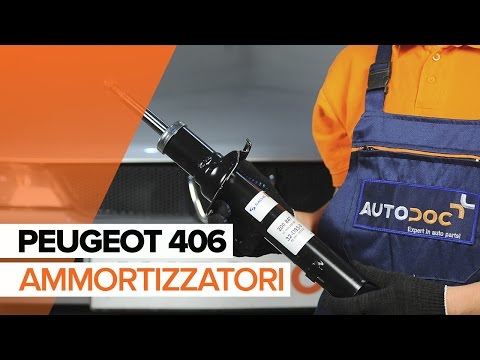
How to remove the front shock absorber on a Peugeot 406? The first step is to lift the bonnet and secure it with the prop rod. Use a socket wrench to unscrew the shock absorber mounting bolts (engine bay), lift the car on a column lift and remove the front wheel. Unscrew the shock absorber mounting bolts at the wheel hub (detach the brake line clips with a screwdriver). Unscrew the bolts on the side, then remove the shock absorber from its housing (place a support under the bar). Compare the old part with the new one and prepare for installation. Fit the new shock absorber to the car, working in reverse order. by ScegliAuto More videos
|
|
For advertising on this site Write to info@scegliauto.com
ScegliAuto is not responsible for any inaccuracy of the data in the lists. To report any inaccuracy or your business (if you own the business in question), please write to info@scegliauto.com
Number of seconds to generate the page: 0.167
(c) ScegliAuto 2026 - info@scegliauto.com - Privacy policy VAT number: IT01247470535 |
