
|
Do it yourself
| |||
| ||||


How to Enter the Radio Unlock Code in the Renault Clio?
Model: Renault Clio
MK 2, Clio 2
- Years:
1998, 1999, 2000, 2001, 2002, 2003, 2004, 2005
Video tutorial
In this tutorial, you will learn how to enter the radio unlock code in the Renault Clio, a very simple and quick operation to perform after replacing the battery or to execute a reset. The code is found in the documents provided at purchase, but if lost, it can be retrieved through various online services. Once obtained, switch on the instrument cluster, then input the first digit by rotating the dial on the right-hand control lever. Proceed to the second digit by quickly pressing the lower button, enter the rest of the code in the same manner, and save it by holding down the button.
Updated on 9 September 2026 by ScegliAuto
Related tutorials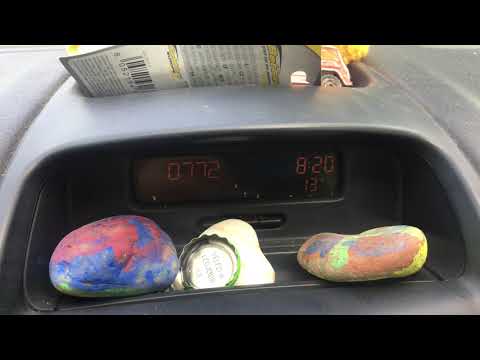
Renault Clio
(1998-2005 /
MK 2, Clio 2)
To enter the unlock code for the Renault Clio 2 radio, you need to find the code using specific applications or by reading the documents provided at …

Renault Clio
(1990-1998 /
Clio 1, MK 1)
When the car radio is turned on and "error" is displayed on the screen, it means that the radio unlock code needs to be entered. This can happen in t…
Renault Clio
(2012-2019 /
Clio IV, Clio 4, MK 4)
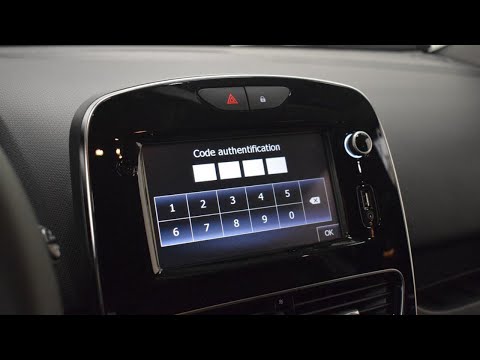
The unlock code for the Renault Clio 4 radio can be obtained by completely dismantling the device, as shown in the video: this will allow you to read…
Other guides you may be interested in
|
Frequently Asked QuestionsHow to Open the Bonnet on the Mitsubishi L200?
In this tutorial, you will see how to open the bonnet on the Mitsubishi L200, a very simple operation that follows the standard procedure. First, open the vehicle and go to the driver's side, then locate the lever at the lower outer area, just in front of the pedals, and pull it. Next, position yourself in front of the bonnet, locate the second lever above the Mitsubishi logo, and push it to the right, releasing the latch. At this point, you can fully lift the bonnet and secure it with the prop rod. by ScegliAuto More videos
|
|
For advertising on this site Write to info@scegliauto.com
ScegliAuto is not responsible for any inaccuracy of the data in the lists. To report any inaccuracy or your business (if you own the business in question), please write to info@scegliauto.com
Number of seconds to generate the page: 0.066
(c) ScegliAuto 2026 - info@scegliauto.com - Privacy policy VAT number: IT01247470535 |
