
|
Do it yourself
| |||
| ||||


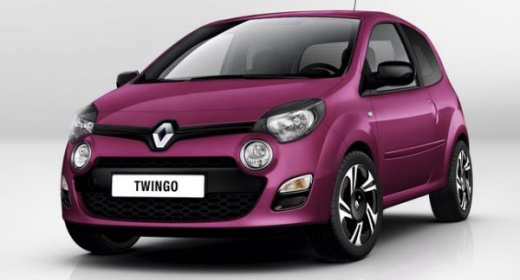
How to Remove the Rear Seats on the Renault Twingo
Model: Renault Twingo
Twingo 2
- Years:
2007, 2008, 2009, 2010, 2011, 2012, 2013, 2014
Video tutorial
This tutorial shows how to remove the rear seats on the Renault Twingo, an extremely simple and quick operation. First, open both doors, then move the front seats forward. Locate the nuts under the front edge of the rear seat and unscrew them. Next, lower the seat backs, move into the boot, and unlock all the red levers indicated by pulling them upwards. At this point, you can grasp the seats, remove them from the cabin, and install any replacements by following the reverse procedure.
Updated on 18 September 2026 by ScegliAuto
Related tutorials
Renault Twingo
(2014-2024 /
Twingo III, Twingo 3)
Below are the instructions on how to disassemble and replace the rear seats of the Renault Twingo. First, open the rear doors of the car and start un…

…

Renault Twingo
(2014-2024 /
Twingo III, Twingo 3)
In this brief and simple guide, find instructions on how to remove and replace the steering wheel and its airbag on a Renault Twingo. First, get insi…
Other guides you may be interested in
|
How to Reset the Tyre Pressure Warning Light on the Jeep Renegade?
To reset the tyre pressure warning light on the Jeep Renegade, inflate the tyres until they reach the recommended pressure: this value is indicated on the sticker attached to the driver’s door pillar. Once the tyres are properly inflated, navigate through the menu that appears on the instrument cluster until you find the tyre pressure option. At this point, press and hold the OK button on the right side of the steering wheel to make the warning light disappear. by ScegliAuto More videos
|
|
For advertising on this site Write to info@scegliauto.com
ScegliAuto is not responsible for any inaccuracy of the data in the lists. To report any inaccuracy or your business (if you own the business in question), please write to info@scegliauto.com
Number of seconds to generate the page: 0.026
(c) ScegliAuto 2026 - info@scegliauto.com - Privacy policy VAT number: IT01247470535 |
