
|
Do it yourself
| |||
| ||||


How to reset the R-Link multimedia system in a Renault?
Model: Renault Renault Various
This video is currently unavailable
In this tutorial, see how to reset the R-Link multimedia system in a Renault, a very simple and quick operation, for example, as an attempt to resolve a problem or following the accidental activation of unwanted settings. First, enter the cabin, then insert the key and turn on the instrument panel. Next, access the general menu on the touchscreen display, go to "Settings", "System", "Reset options", and select "Restore factory settings". Finally, wait for the system to restart.
Updated on 3 October 2026 by ScegliAuto
Related tutorials
Renault Renault Various
.. In this tutorial, you will see how to reset the R-Link system on a Renault. This operation is extremely simple and quick, for example,.. …
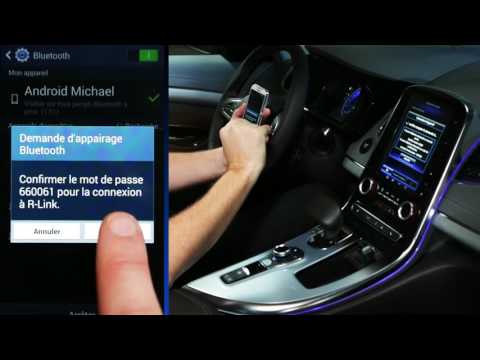
Renault Renault Various
In this video, you will see how to pair your Android phone with the Renault R-Link 2 system. First, ensure that Bluetooth is activated on your device…
Renault Renault Various
If the R Link GPS system in your Renault suddenly experiences serious operational issues, simply perform a reset. This operation is fortunately quite…
Other guides you may be interested in
|
How to Reset the Tyre Pressure Warning Light on the Jeep Renegade?
To reset the tyre pressure warning light on the Jeep Renegade, inflate the tyres until they reach the recommended pressure: this value is indicated on the sticker attached to the driver’s door pillar. Once the tyres are properly inflated, navigate through the menu that appears on the instrument cluster until you find the tyre pressure option. At this point, press and hold the OK button on the right side of the steering wheel to make the warning light disappear. by ScegliAuto More videos
|
|
For advertising on this site Write to info@scegliauto.com
ScegliAuto is not responsible for any inaccuracy of the data in the lists. To report any inaccuracy or your business (if you own the business in question), please write to info@scegliauto.com
Number of seconds to generate the page: 0.145
(c) ScegliAuto 2026 - info@scegliauto.com - Privacy policy VAT number: IT01247470535 |
