
|
Do it yourself
| |||
| ||||


How do you reset the Service light of the Renault Clio 3?
Model: Renault Clio
Clio 3, MK 3, Clio III
- Years 2005-2013
The Service light that appears on the instrument panel of the Renault Clio 3 can be reset by turning on the instrument panel and then holding down the button located at the end of the lever to the right of the steering wheel. By holding down this button for a few seconds, the Service light will start flashing and the maintenance interval will be reset. Once this is done, the Service light will turn off and you can release the button on the right lever. To verify that the reset was successful, you will need to turn off and turn on the instrument panel again.
Posted on 14 June 2024 by ScegliAuto
Video tutorial
Related tutorials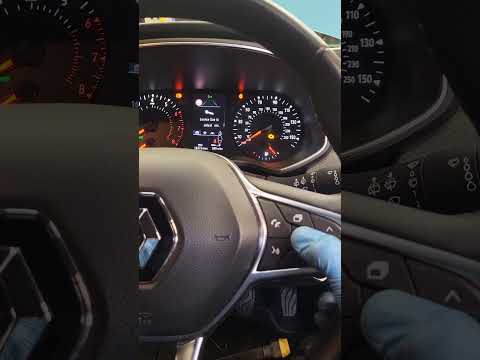
Renault Clio
(2019-2026 /
Clio 5, Clio V)
Good morning, today's goal is to reset the "Service" light of our Renault Clio. Let's turn on the car's instrument panel by pressing the ignition but…

Renault Clio
(2019-2026 /
Clio 5, Clio V)
Let’s see how to reset the service light on a Renault Clio V: turn on the ignition without starting the engine and wait for the instrument test. Navi…
Renault Clio
(2005-2013 /
Clio 3, MK 3, Clio III)
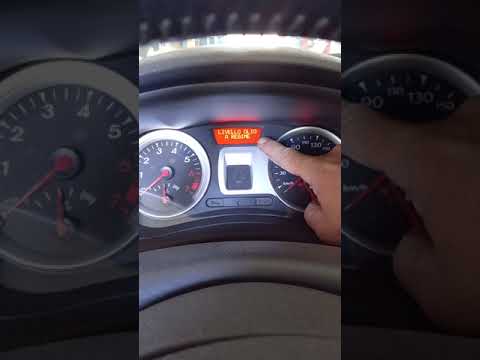
Before starting, we will have to sit in the driver's seat of our Renault Clio. So let's start by turning on the instrument panel, turning the key in …
Other guides you may be interested in
|
Frequently Asked QuestionsHow to Reset the Oil Maintenance Service on a Fiat 500X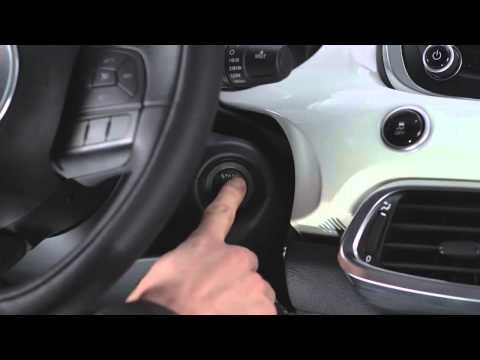
In this video, learn how to reset the oil maintenance service on a Fiat 500X. This is a very simple operation. Enter the vehicle and turn on the instrument cluster using the button next to the steering wheel. Press the accelerator pedal three times in quick succession, then release the pedal. Turn off the instrument cluster, then turn it back on and wait for it to illuminate. Finally, check the changes made to the car. Always remember to make adjustments to the onboard computer with the engine off. by ScegliAuto More videos
|

|
For advertising on this site Write to info@scegliauto.com
ScegliAuto is not responsible for any inaccuracy of the data in the lists. To report any inaccuracy or your business (if you own the business in question), please write to info@scegliauto.com
Number of seconds to generate the page: 0.057
(c) ScegliAuto 2026 - info@scegliauto.com - Privacy policy VAT number: IT01247470535 |
