
|
Do it yourself
| |||
| ||||



How to Change the Gear Knob on the Renault Clio IV
Model: Renault Clio
Clio IV, Clio 4, MK 4
- Years:
2012, 2013, 2014, 2015, 2016, 2017, 2018, 2019
Video tutorial
This video demonstrates how to change the gear knob on a Renault Clio IV: first, lift the gear gaiter by gripping it at the base and pulling it up from the frame, as it is only clipped in. The gaiter is held to the shaft by a seal that you will remove using a screwdriver; then pull the gaiter all the way down to the base of the shaft. Using a pair of pliers, turn the knob as you need to remove the aluminium support inside. You can find the new knob, for example, on Amazon with the code B09JNV3WS4 for £12.99, with free delivery for Prime customers. Refit the knob onto the shaft and then reattach the gaiter from the inside, just as you previously detached it. Refit the clips of the gaiter in their place, and the job is complete.
Updated on 10 October 2026 by ScegliAuto
Related tutorials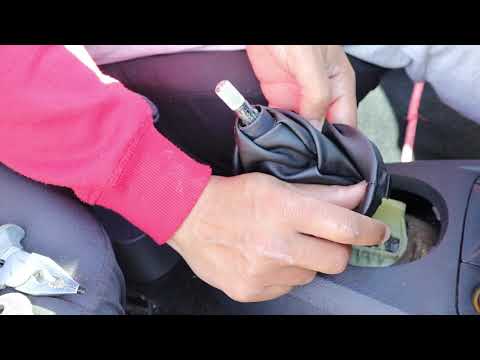
Renault Clio
(1998-2005 /
MK 2, Clio 2)
Before you begin, sit in the driver's seat of your Renault Clio. Start by prising off and lifting the lower section of the gear lever gaiter. Next, g…

Renault Clio
(2012-2019 /
Clio IV, Clio 4, MK 4)
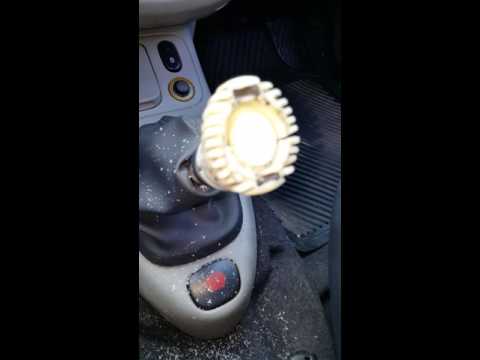
In today's video, learn how to remove and replace the gear knob on a fourth-generation Renault Clio, as well as on a Dacia Sandero or Duster. Changin…
Renault Clio
(1998-2005 /
MK 2, Clio 2)
Today, in this video tutorial, you will see how to remove and replace the gear knob on the second series Renault Clio in simple steps. First, get ins…
Other guides you may be interested in |
How to reset the tyre pressure warning light on the Kia Niro EV?
To reset the tyre pressure warning light on the Kia Niro EV, inflate the tyres until they reach the correct pressure value. This value is indicated on the sticker attached to the driver's door pillar. Once the tyres are inflated, turn on the instrument cluster to check that the warning light has completely disappeared from the display. If it is still present, you may need to drive for a few miles to ensure it disappears completely from the screen. by ScegliAuto More videos
|
|
For advertising on this site Write to info@scegliauto.com
ScegliAuto is not responsible for any inaccuracy of the data in the lists. To report any inaccuracy or your business (if you own the business in question), please write to info@scegliauto.com
Number of seconds to generate the page: 0.029
(c) ScegliAuto 2026 - info@scegliauto.com - Privacy policy VAT number: IT01247470535 |
