
|
Do it yourself
| |||
| ||||


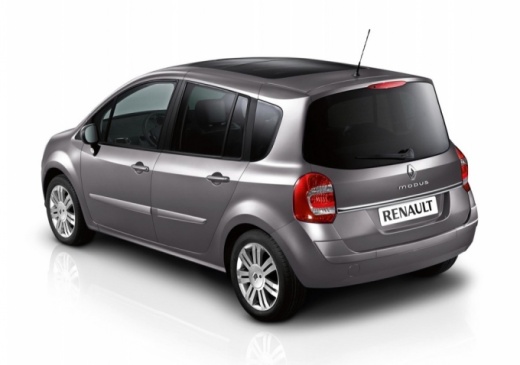
How to Fix a Problem with the Renault Modus Fan
Model: Renault Modus
MK 1
- Years:
2004, 2005, 2006, 2007, 2008, 2009, 2010, 2011, 2012, 2013
Video tutorial
In this video, you can see how to resolve the issue with a Renault Modus fan: in this case, the fan was not working, and to check the problem and access the fan, the YouTuber removed the glove compartment located in front of the passenger seat, revealing the fan assembly, where at the top is the fan power connector, with a red and a black wire. If this connector moves, you can determine that it is indeed a power issue, which may just need cleaning at the contacts to start functioning properly again, either at the connector or the plug.
Updated on 11 October 2026 by ScegliAuto
Related tutorials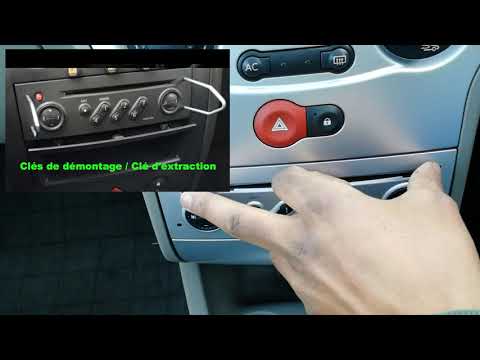
Renault Modus
(2004-2013 /
MK 1)
Before you begin, sit in the driver's seat of your Renault Modus. Start by activating the instrument cluster and the onboard computer. Then, press an…

Renault Modus
(2004-2013 /
MK 1)
In this new guide aimed at all of you who own a Renault Modus, we will help you easily find the OBD port located inside the cabin and through which y…

Renault Modus
(2004-2013 /
MK 1)
When we turned on the lights, we noticed that our Renault Modus had a burnt out bulb. Nothing serious, we will organize ourselves to replace it, with…
Other guides you may be interested in
|
How to Remove the Toll Tag Holder from the Car Windscreen
The toll tag holder is usually attached to the car windscreen to ensure that the toll tag functions immediately when passing through barriers. However, if you decide to remove the holder, you should follow this procedure: - Insert the toll tag into the holder; - Pull the holder inwards to detach it from the windscreen; you can use a glass scraper or a stiff plastic card to assist you; After removing the holder, it is essential to remove the adhesive from the windscreen. To remove the adhesive, we recommend using a solvent-based spray that will remove the glue without clouding the area. by ScegliAuto More videos
|
|
For advertising on this site Write to info@scegliauto.com
ScegliAuto is not responsible for any inaccuracy of the data in the lists. To report any inaccuracy or your business (if you own the business in question), please write to info@scegliauto.com
Number of seconds to generate the page: 0.020
(c) ScegliAuto 2026 - info@scegliauto.com - Privacy policy VAT number: IT01247470535 |
