
|
Do it yourself
| |||
| ||||


Video tutorial
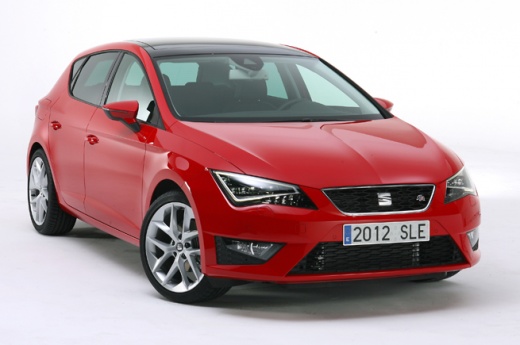
Here is a job that can be easily and quickly done by yourself. By making sure to get a light bulb with the same technical characteristics as the one to be replaced, we proceed with the intervention, also thanks to the support of the video attached above: we turn off the instrument panel, open the engine hood, remove the plastic dust cap at the back of the headlight after releasing the two metal clips, grab the mentioned light bulb and extract it. The job is completed by disconnecting it from its socket, installing the new one and testing its operation.
Posted on 22 August 2025 by ScegliAuto
Related tutorials
Seat Leon
(2012-2019 /
5F, MK 3)
How to replace the front headlight bulb on a Seat Leon? Lift the front bonnet to access the headlights. Remove the plastic cover at the back of the h…

Seat Leon
(2005-2013 /
1P)
To replace the right front headlight bulb on a Seat Leon model 1P, follow these steps: Open the vehicle's bonnet and remove the headlight cover locat…

Seat Leon
(2005-2013 /
1P)
To replace the front headlight bulb on the Seat Leon, first immobilise the car on a flat surface or place it on a ramp to work safely. Once done, ope…
Other guides you may be interested in
|
How to Reset the Tire Pressure Light on a MG ZS?
On the instrument cluster of the MG ZS, the tire pressure light that appears can be reset by inflating the tires to the correct pressure: this value will be indicated on the sticker attached to the driver's door pillar. Once the tires have been properly inflated, you can turn on the instrument cluster and navigate through the menu until you find the option that indicates tire pressure: if this screen shows the new values, the light will turn off; otherwise, you will need to drive for a few miles so that the sensors can read the new values and turn off the light afterward. by ScegliAuto More videos
|
|
For advertising on this site Write to info@scegliauto.com
ScegliAuto is not responsible for any inaccuracy of the data in the lists. To report any inaccuracy or your business (if you own the business in question), please write to info@scegliauto.com
Number of seconds to generate the page: 0.097
(c) ScegliAuto 2026 - info@scegliauto.com - Privacy policy VAT number: IT01247470535 |
