
|
Do it yourself
| |||
| ||||


How to Reset the Tyre Warning Light on a Seat Ibiza
Model: Seat Ibiza
6P, 6J
- Years 2008-2017
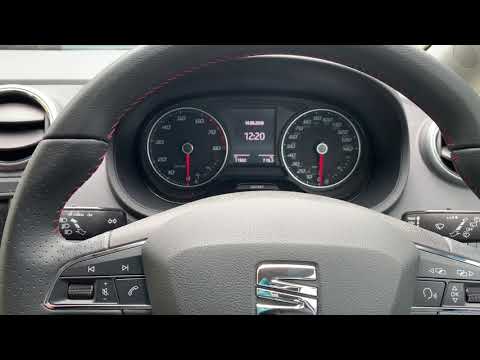
Before you can start, ensure that the tyre pressures are correct, then sit in the driver's seat of your Seat Ibiza. Begin by turning the key in the ignition, activating the instrument cluster. Next, activate the onboard computer by pressing the relevant power button. Once done, select and confirm the "Vehicle" option. At this point, select and confirm the "SET" option. When you complete this step, the tyre warning light will turn off, and you will have finished the reset.
Updated on 19 April 2026 by ScegliAuto
Video tutorial
Related tutorials
Seat Ibiza
(2017-2026 /
6F, KJ)
To reset the tyre pressure warning light on the latest version of the Seat Ibiza, first press the physical "menu" button next to the radio display. T…

Seat Ibiza
(2017-2026 /
6F, KJ)
To clear the tyre pressure warning light on the Seat Ibiza, you need to inflate the tyres to the optimal pressure value: this value is indicated on t…
Seat Ibiza
(2017-2026 /
6F, KJ)
In this video tutorial, you will learn how to reset the tyre pressure warning light on the Seat Ibiza KJ in simple and quick steps; however, before p…
Other guides you may be interested in
|
How to Check the Oil Level on a Jeep Renegade?
To check the oil level on a Jeep Renegade, you need to open the bonnet to access the components inside the engine bay: on the lower left side of the engine block, you will find the dipstick for checking the level. This should be pulled out and thoroughly cleaned with a cloth: once cleaned, reinsert it back into its tube and pull it out immediately after. This way, you can check that the oil mark is between the minimum and maximum levels; finally, you can place the dipstick back in its tube. by ScegliAuto More videos
|
|
For advertising on this site Write to info@scegliauto.com
ScegliAuto is not responsible for any inaccuracy of the data in the lists. To report any inaccuracy or your business (if you own the business in question), please write to info@scegliauto.com
Number of seconds to generate the page: 0.191
(c) ScegliAuto 2026 - info@scegliauto.com - Privacy policy VAT number: IT01247470535 |
