
|
Do it yourself
| |||
| ||||


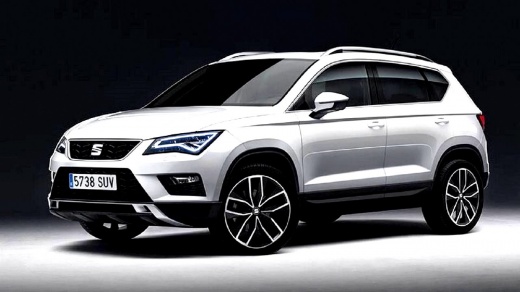
How to Reset the Service Light on the Seat Ateca
Model: Seat Ateca
MK 1
- Years:
2016, 2017, 2018, 2019, 2020, 2021, 2022, 2023, 2024, 2025
Video tutorial
Resetting the service light on the Seat Ateca is a quick and easy process that you can do independently, aided by our brief video tutorial. First, turn on the instrument cluster and close all doors. Then, press the TRIP A button multiple times to access the vehicle's multifunction menu. Select the option for kilometres and press the Call and OK buttons for about 5 seconds to access the service menu. Using the arrow keys, select "ASSYST PLUS" and then "FULL SERVICE". Wait for the reset to load, return to the main menu, and then switch off and back on the instrument cluster.
Updated on 22 September 2026 by ScegliAuto
Related tutorials
Seat Ateca
(2016-2025 /
MK 1)
To reset the Service light on the Seat Ateca, turn on the instrument cluster by inserting the ignition key. Then navigate through the menu on the onb…

Seat Ateca
(2016-2025 /
MK 1)
To reset the Service light on the Seat Ateca, turn on the ignition by inserting the key. Navigate through the menu on the onboard computer using the …

Seat Ateca
(2016-2025 /
MK 1)
The service light appears on the dashboard of your 2018 Seat Ateca when it's time for a service at any authorised centre. If the light remains on aft…
Other guides you may be interested in
|
How to Reset the Tyre Pressure Warning Light on a Kia Rio?
The tyre pressure warning light displayed on the instrument cluster of the Kia Rio can be reset by inflating the tyres until they reach the recommended pressure value: this value is indicated on the sticker affixed to the driver's door pillar. Once all tyres have been inflated to the recommended pressure, turn on the ignition to check that the light has disappeared: if it is still present, it may be necessary to drive for a few miles, allowing the sensors to work and thus turning off the light. by ScegliAuto More videos
|
|
For advertising on this site Write to info@scegliauto.com
ScegliAuto is not responsible for any inaccuracy of the data in the lists. To report any inaccuracy or your business (if you own the business in question), please write to info@scegliauto.com
Number of seconds to generate the page: 0.097
(c) ScegliAuto 2026 - info@scegliauto.com - Privacy policy VAT number: IT01247470535 |
