
|
Do it yourself
| |||
| ||||


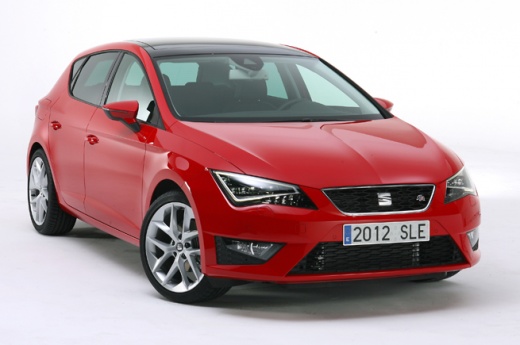
Cleaning the MAF Sensor on the Seat Leon MK3
Model: Seat Leon
5F, MK 3
- Years:
2012, 2013, 2014, 2015, 2016, 2017, 2018, 2019
Video tutorial
If you notice excessive fuel consumption and irregular engine performance on the Seat Leon, the cause may be a dirty Mass Air Flow (MAF) sensor. To clean it, open the engine bonnet, locate the sensor body on the pipe coming from the air filter, disconnect the electrical connector, and using a flat screwdriver, loosen the two clamps holding it in place. Remove it and place it on a work surface. Clean it by spraying a dedicated cleaning solution inside. Wait for it to dry completely, refit the sensor body onto the pipe, tightening the two metal clamps, and reconnect the electrical connector.
Updated on 11 October 2026 by ScegliAuto
Related tutorials
Seat Leon
(2005-2013 /
1P)
Noticing the tyre warning light on a vehicle means there is a specific issue with the inflation pressure, mainly due to a puncture, a flat tyre, or, …

Seat Leon
(2012-2019 /
5F, MK 3)
The OBD port on your Seat Leon Mk3 is quite hidden, but fortunately, you do not need to remove any components from the cabin to locate it. Just read …

Seat Leon
(2012-2019 /
5F, MK 3)
If the tyre warning light on the instrument cluster of your 2016 Seat Leon keeps appearing despite no punctures or loss of pressure, follow these ste…
Other guides you may be interested in
|
How to Open the Fuel Flap on a Volkswagen Tiguan?
To open the fuel flap on a Volkswagen Tiguan, first unlock the car using the appropriate button on the remote. This will open the car and unlock the mechanism that controls the fuel flap. At this point, apply light pressure to the left side of the flap to open it and access the cap underneath. Once this is unscrewed, you can refuel and then close everything. by ScegliAuto More videos
|
|
For advertising on this site Write to info@scegliauto.com
ScegliAuto is not responsible for any inaccuracy of the data in the lists. To report any inaccuracy or your business (if you own the business in question), please write to info@scegliauto.com
Number of seconds to generate the page: 0.080
(c) ScegliAuto 2026 - info@scegliauto.com - Privacy policy VAT number: IT01247470535 |
