
|
Do it yourself
| |||
| ||||


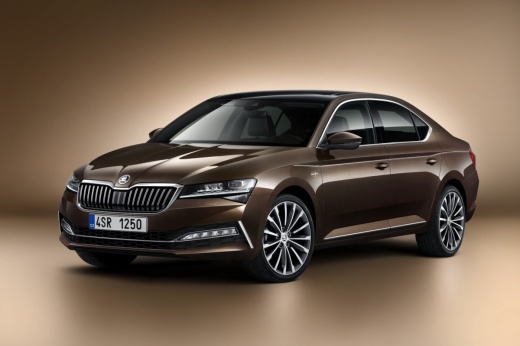
How to Reset the Climatronic on a Skoda Superb?
Model: Skoda Superb
3V, B8
- Years:
2015, 2016, 2017, 2018, 2019, 2020, 2021, 2022, 2023
Video tutorial
To reset the Climatronic on a Skoda Superb, insert the ignition key into the corresponding slot: once the instrument cluster is powered on, you can use the buttons located in the centre of the dashboard. Here, you will find the button marked ECON and the one that directs airflow to the face: press and hold both buttons simultaneously to complete the reset of the air conditioning. Once the operation is finished, you can release both buttons.
Posted on 22 July 2026 by ScegliAuto
Related tutorials
Skoda Superb
(2008-2015 /
B6, 3T)
If the TPMS light on the display of your Skoda Superb remains on even though there is no puncture, you must proceed with the manual reset of the ligh…

Skoda Superb
(2015-2023 /
3V, B8)
Hello, today guide you through the process of resetting the trip meter on your Skoda Superb. To start, carefully enter the car. Next, turn on the ins…

Skoda Superb
(2001-2008 /
3U, B5)
To easily find the fuse box of your Skoda Superb, simply follow the steps described in the following guide. First, ensure that the car is parked safe…
Other guides you may be interested in
|
How to open the bonnet on a Volkswagen Golf?
In this tutorial, you will see how to open the bonnet on a Volkswagen Golf MK4. This is a very simple operation that follows the standard procedure. First, open the driver's door, then locate the lever in the lower left area and pull it. Next, move to the front of the vehicle, lift the bonnet slightly, and find the second lever located just above the Volkswagen logo. At this point, simply pull it towards you, fully open the bonnet, and secure it with the prop rod. To close it, gently push it down. by ScegliAuto More videos
|
|
For advertising on this site Write to info@scegliauto.com
ScegliAuto is not responsible for any inaccuracy of the data in the lists. To report any inaccuracy or your business (if you own the business in question), please write to info@scegliauto.com
Number of seconds to generate the page: 0.130
(c) ScegliAuto 2026 - info@scegliauto.com - Privacy policy VAT number: IT01247470535 |
