
|
Do it yourself
| |||
| ||||


Reset the tire pressure warning of the Smart Fortwo
Model: Smart Smart
453
- Years 2014-2022
Today we will discover how to reset the tire pressure warning of the Smart Fortwo; before resetting the TPMS sensors, it is necessary that all four tires are at the correct pressures, which can be found on the plate located on the side pillar of the driver's side of the body. We then get into the car and start the instrument panel; from the onboard computer, it will be possible to go to the tire pressure section, finally holding down the "ok" button found on the right lever of the steering wheel until the correct reset is completed!
Posted on 21 November 2024 by ScegliAuto
Video tutorial
Related tutorials
Smart
(2014-2022 /
453)
Following these brief and simple instructions, we will see how to reset the maintenance reminder for the engine oil change of the Smart Fortwo. First…

Smart
(2014-2022 /
453)
Good morning, today I will guide you through the process of resetting the partial trip on your Smart ForTwo. To begin, let's carefully enter the car.…
Smart
(2007-2015 /
451)
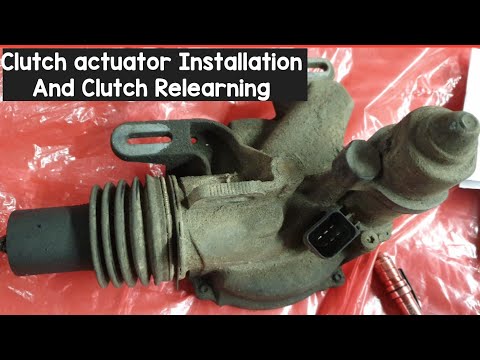
In today's video tutorial we will see how to install the clutch actuator on the Smart Fortwo 451, following the instructions below. First of all we l…
Other guides you may be interested in
|
How to Open the Door of a Golf 7 with a Flat Key Battery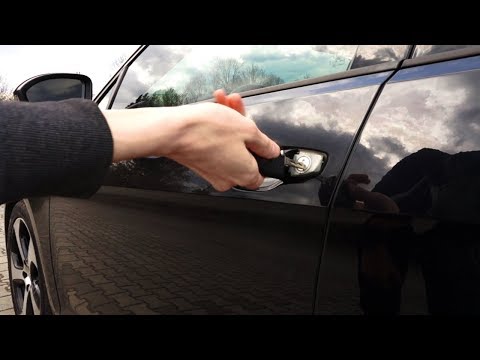
Is the remote key battery of the Golf flat and you don’t know how to open the car? Here’s what to do. Take your remote and press the button to release the metal key. Once extracted, use the key to pry into the space of the handle until the piece detaches. Insert the key into the lock and open the car door. To close the lock: take the cap and press down on the handle until you hear the locking click. Open the remote key and replace the battery. by ScegliAuto More videos
|

|
For advertising on this site Write to info@scegliauto.com
ScegliAuto is not responsible for any inaccuracy of the data in the lists. To report any inaccuracy or your business (if you own the business in question), please write to info@scegliauto.com
Number of seconds to generate the page: 0.076
(c) ScegliAuto 2026 - info@scegliauto.com - Privacy policy VAT number: IT01247470535 |
