
|
Do it yourself
| |||
| ||||



How to inspect the rear brakes of the Smart 451
Model: Smart Smart
451
- Years:
2007, 2008, 2009, 2010, 2011, 2012, 2013, 2014, 2015
Video tutorial
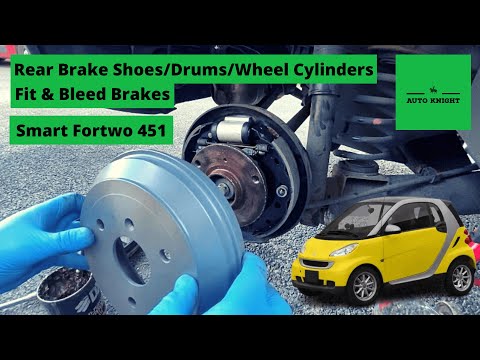
Let's see how to inspect the rear drum brakes of a Smart Fortwo 451. Common issues usually include leaking cylinders or stuck bleed screws. Start by removing the wheel and check that the brake is not stuck by manually rotating the drum. This is secured by a securing screw that, once removed, should allow the drum to slide off; sometimes, a hammer may be needed to loosen it. Check the brake linings for wear; the friction material thickness should not be reduced. The automatic adjuster should have a good range: ensure the cylinders are completely dry and show no leaks; also, check that the bleed screws, inspected with an 8 mm spanner, are free and not stuck. The return springs should not be corroded, so they will not need replacing. A good cleaning with brake cleaner is necessary. Reposition the drum and securing screw, then reinstall the wheel.
Posted on 18 May 2026 by ScegliAuto
Related tutorials
Smart
(2007-2015 /
451)
This guide shows how to replace the rear brake pads on a Smart 451 Fortwo Coupe. To perform this operation, you need to safely lift the vehicle and r…

Smart
(2007-2015 /
451)
To replace the rear brake shoes on the Smart, lift the car with a jack so that the corresponding wheel is off the ground. This will allow you to unsc…
Smart
(2007-2015 /
451)
In this tutorial, you will learn how to replace the rear brake shoes on a Smart ForTwo, a task that requires a good level of manual skill. First, lif…
Other guides you may be interested in |
How to Set the Time in an Audi A4?
In this tutorial, you will see how to set the time in an Audi A4, a very simple and quick operation to perform after replacing the battery or when the time changes. First, insert the key and turn on the instrument cluster. Then, press the "SETUP" button located on the center console. Next, press the upper left arrow button, navigate to the "Time" option, and use the central knob to adjust the clock. Finally, set any necessary formats and save by returning to the main screen. by ScegliAuto More videos
|
|
For advertising on this site Write to info@scegliauto.com
ScegliAuto is not responsible for any inaccuracy of the data in the lists. To report any inaccuracy or your business (if you own the business in question), please write to info@scegliauto.com
Number of seconds to generate the page: 0.023
(c) ScegliAuto 2026 - info@scegliauto.com - Privacy policy VAT number: IT01247470535 |
