
|
Do it yourself
| |||
| ||||


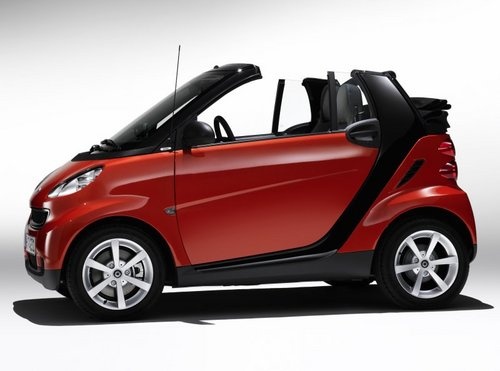
What to Do If the Horn on Your Smart 451 Is Not Working?
Model: Smart Smart
451
- Years:
2007, 2008, 2009, 2010, 2011, 2012, 2013, 2014, 2015
Video tutorial
If the horn on your Smart 451 is not working, turn off the car and disconnect the negative terminal of the battery. Using a small flat screwdriver, locate the horn, which is centrally positioned behind the grille; disconnect the connector and clean the contact with fine sandpaper or a pointed tool to remove any traces of oxidation (green/white) from both the horn terminal and the cable connector. A brass brush can also be useful; avoid using coarse files to prevent damaging the metal. Spray a little WD-40 or dielectric grease and reassemble. If the problem persists, check the fuse.
Posted on 5 July 2026 by ScegliAuto
Related tutorials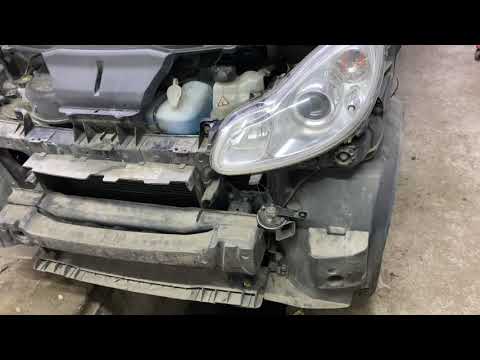
Smart
(2007-2015 /
451)
In this video, see where the horn is located in a Smart ForTwo 451, useful if you need to replace it. As shown, it is located behind the front bumper…
Smart
(2007-2015 /
451)
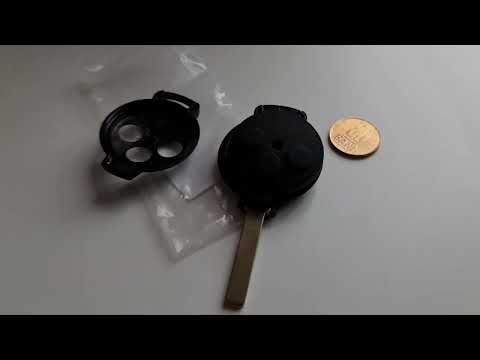
If the key for your Smart 451 has suddenly stopped working, it is likely that the small button battery inside has completely drained. In this guide, …
Smart
(2007-2015 /
451)
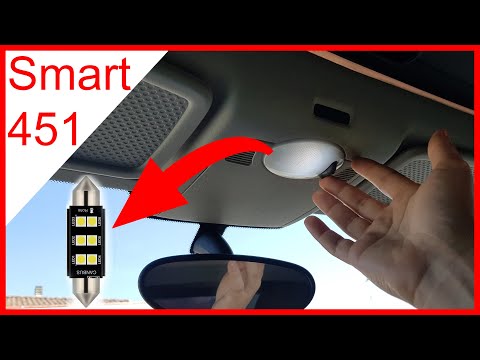
Today, you will learn how to remove the interior light on a Smart 451. Pry between the fixing plastics and the transparent light without breaking the…
Other guides you may be interested in
|
Frequently Asked QuestionsHow to Set the Time in an Audi A4?
In this tutorial, you will see how to set the time in an Audi A4, a very simple and quick operation to perform after replacing the battery or when the time changes. First, insert the key and turn on the instrument cluster. Then, press the "SETUP" button located on the center console. Next, press the upper left arrow button, navigate to the "Time" option, and use the central knob to adjust the clock. Finally, set any necessary formats and save by returning to the main screen. by ScegliAuto More videos
|
|
For advertising on this site Write to info@scegliauto.com
ScegliAuto is not responsible for any inaccuracy of the data in the lists. To report any inaccuracy or your business (if you own the business in question), please write to info@scegliauto.com
Number of seconds to generate the page: 0.054
(c) ScegliAuto 2026 - info@scegliauto.com - Privacy policy VAT number: IT01247470535 |
