
|
Do it yourself
| |||
| ||||


Reset of the service light on Smart 451
Model: Smart Smart
451
- Years 2007-2015
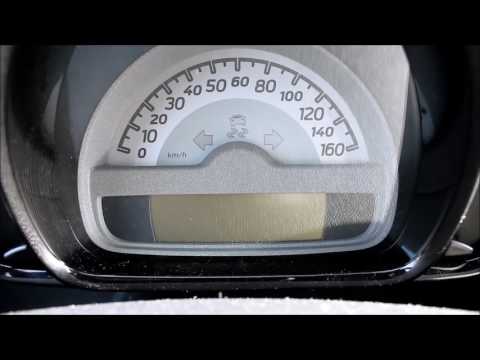
The tutorial begins with the panel already on of our Smart. Now, turn the key and start the engine as well. Press the left button on the instrument panel twice, then stop the engine and keep the same panel on. While pressing and holding this button, restart the engine. Continue to hold down the button until the reset is complete. Remember to use this procedure after performing the service and not as a replacement for it, in order to avoid damaging the engine or other parts of your car. As you can see, this is a very simple operation.
Posted on 7 August 2021 by ScegliAuto
Video tutorial
Related tutorials
Smart
(2007-2015 /
451)
If even after performing the regular maintenance of your Smart 451 (year 2007-2015) you notice that the alarm light continues to turn on on the dashb…
Smart
(2007-2015 /
451)
The procedure for resetting the Service light on the Smart 451 involves pressing and holding the button located on the left side of the instrument pa…
Smart
(2007-2015 /
451)
The Service light of the Smart 451 can be reset by holding down the button located on the left side of the instrument panel. While holding it down, y…
Other guides you may be interested in
|
How to Remove the Dome Light of an Audi Q5
Let's see how to remove and replace the bulbs located in the dome light of the headliner on an Audi Q5. Use a screwdriver or a plastic trim tool to pry between the dome light cover and its perimeter (without breaking the plastic). Pull the bulbs to be replaced out of the dome light. Replace the damaged bulbs with new ones (same size and voltage). Reinstall the cover in its housing along with the associated parts. Perform the same operation for the other dome lights located in the headliner. Test the light's proper operation at the end of the installation. by ScegliAuto More videos
|

|
For advertising on this site Write to info@scegliauto.com
ScegliAuto is not responsible for any inaccuracy of the data in the lists. To report any inaccuracy or your business (if you own the business in question), please write to info@scegliauto.com
Number of seconds to generate the page: 0.124
(c) ScegliAuto 2026 - info@scegliauto.com - Privacy policy VAT number: IT01247470535 |
