
|
Do it yourself
| |||
| ||||


How do you reset the automatic transmission of the Smart car?
Model: Smart Smart
451
- Years 2007-2015
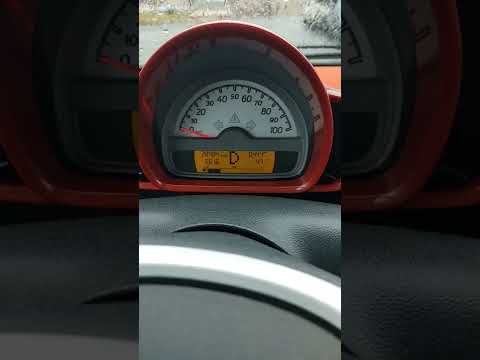
When the flashing letter N appears on the Smart instrument panel, it means that the vehicle's automatic transmission has a malfunction. To temporarily resolve this issue, you can put the car in gear when the engine is off. Then, with the gear engaged and the ignition key in position two, push the car so that it can be started. Once the clutch is released during the pushing operation, the car will start. However, it is important to promptly take the car to the workshop for a diagnosis to identify the cause of the anomaly, which is often of an electronic nature.
Posted on 26 February 2024 by ScegliAuto
Video tutorial
Related tutorials
Smart
(2007-2015 /
451)
In order to reset the automatic transmission of the Smart Brabus, you need to connect a diagnostic tool to the OBD port of the vehicle: this port can…
Smart
(2007-2015 /
451)
Today's guide will briefly explain how to use the automatic transmission of the Smart Fortwo, following these simple and quick steps. First, we get i…

Smart
(2007-2015 /
451)
In order to reset the automatic transmission of the Smart, you need to connect a diagnostic tool to the OBD port of the vehicle: this port can be fou…
Other guides you may be interested in
|
Frequently Asked QuestionsHow to Replace the Timing Belt on a Chevrolet Matiz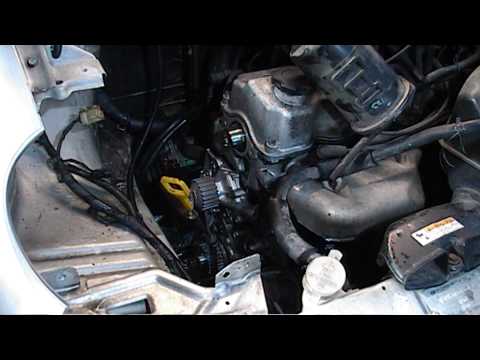
How to replace the timing belt on a Chevrolet Matiz. Open the bonnet and secure it, lift the car on a column lift (if necessary, remove the front wheel using a screwdriver to take off the right wheel arch liner). Use a fixed spanner to loosen the tensioner pulley and slide the belt off its seat. Use a socket spanner to undo the securing bolt of the tensioner pulley, then remove the water pump as shown in the video. Fit the new water pump, the tensioner, and the belt itself, tightening everything with the socket spanner. Finally, refit the rivets along with the wheel arch liner and reattach the wheel with the tyre to the vehicle. by ScegliAuto More videos
|

|
For advertising on this site Write to info@scegliauto.com
ScegliAuto is not responsible for any inaccuracy of the data in the lists. To report any inaccuracy or your business (if you own the business in question), please write to info@scegliauto.com
Number of seconds to generate the page: 0.109
(c) ScegliAuto 2026 - info@scegliauto.com - Privacy policy VAT number: IT01247470535 |
