
|
Do it yourself
| |||
| ||||


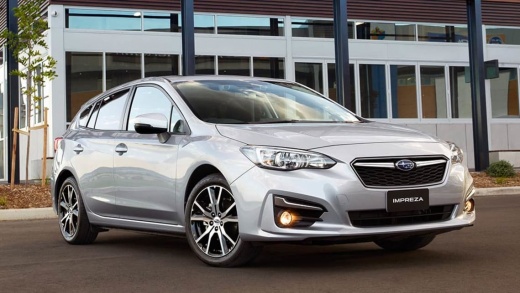
How to Replace the Remote Battery on a Subaru Impreza
Model: Subaru Impreza
MK 5
- Years:
2016, 2017, 2018, 2019, 2020, 2021, 2022, 2023
Video tutorial
In this tutorial, you can see how to replace the remote battery on a Subaru Impreza by following a few simple steps: first, purchase a CR1820 remote key battery and a flathead screwdriver to open the remote shell, or a Swiss army knife will also work. Look at the bottom of the key where the remote connects to the keyring; you will see a small slot. Insert the tip of the screwdriver or knife into this slot. Once the remote shell is open, you must also remove the internal transmitter module. Now open the module cover using your nails; once opened, you will see the battery housed in this compartment; proceed to replace it with a new one.
Updated on 26 May 2026 by ScegliAuto
Related tutorials
Subaru Impreza
(2011-2016 /
MK 4)
To replace the battery in the remote for the Subaru Impreza, pry open the lower part of the device to remove the rear cover along with the key blade …

Subaru Impreza
(2016-2023 /
MK 5)
To replace the battery inside your Subaru Impreza WRX key, follow the procedure outlined in this guide. Before starting, ensure you have a small flat…

Subaru Impreza
(2011-2016 /
MK 4)
Today, we will see the instructions that will allow you to remove and replace the battery of the Subaru Impreza. First, open the engine bonnet of the…
Other guides you may be interested in
|
How to lower the rear seats in the Peugeot 206?
In this tutorial, you will see how to lower the rear seats in the Peugeot 206, a very simple and quick operation, for example, if you need more space in the boot. First, open both the doors and the tailgate, then unclip the seat base and position it vertically. Next, remove the horizontal partition, locate the release levers at the ends of both seatbacks, and, by operating them, lower the seatbacks. To reassemble everything, simply follow the reverse procedure. by ScegliAuto More videos
|
|
For advertising on this site Write to info@scegliauto.com
ScegliAuto is not responsible for any inaccuracy of the data in the lists. To report any inaccuracy or your business (if you own the business in question), please write to info@scegliauto.com
Number of seconds to generate the page: 0.119
(c) ScegliAuto 2026 - info@scegliauto.com - Privacy policy VAT number: IT01247470535 |
