
|
Do it yourself
| |||
| ||||


How to Access the Settings Menu on a Suzuki Access 125
Model: Suzuki Access 125
Video tutorial
Today, we will explain how to access the settings menu on the Suzuki Access 125 motorcycle. To access the settings and adjust the time or oil light, press the button located on the right side of the dashboard. By repeatedly pressing the button, you can view various options. Release the button and then press it again to access the setting you wish to modify. For example, by pressing the button and selecting the maintenance option, you can reset the oil light and update the mileage for the next engine oil change.
Posted on 11 October 2026 by ScegliAuto
Related tutorials
Access 125
To disassemble the rear brake pads of our Suzuki Access 125, we need to follow some steps. First of all, it is necessary to remove the rear wheel to …

Access 125
To disassemble the engine of the Suzuki Access 125, you need to loosen the screws that secure the valve cover and the cylinder to the top of the engi…

Access 125
After performing the oil change and replacing the oil filter, it is necessary to reset the oil light in order to set the kilometers until the next se…
|
How to Replace the Battery in the Kawasaki Ninja 300?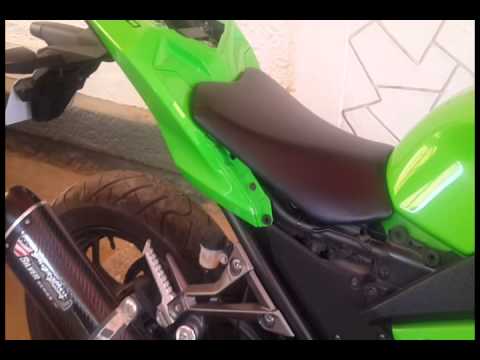
Replacing the battery in the Kawasaki Ninja 300 is an extremely simple and quick operation; let's see how to proceed in this tutorial. First, ensure that the key is not inserted, then open the passenger seat and gather the tools provided. Next, remove the two side panels, then also remove the rider's seat and unscrew the fixing bolt of the ECU. At this point, disconnect both terminals starting with the negative, extract the battery from its housing, and follow the reverse procedure to fit the replacement. by ScegliAuto More videos
|
|
For advertising on this site Write to info@scegliauto.com
ScegliAuto is not responsible for any inaccuracy of the data in the lists. To report any inaccuracy or your business (if you own the business in question), please write to info@scegliauto.com
Number of seconds to generate the page: 0.006
(c) ScegliAuto 2026 - info@scegliauto.com - Privacy policy VAT number: IT01247470535 |
