
|
Do it yourself
| |||
| ||||



The Features of the Suzuki Celerio Infotainment System
Model: Suzuki Celerio
MK 2
- Years:
2014, 2015, 2016, 2017, 2018, 2019, 2020, 2021, 2022, 2023
Video tutorial
Let's see how the ZXI Plus AMT system of the Maruti Suzuki Celerio works. The touchscreen has a 7" display and works with both Android Auto and Apple CarPlay. From the home screen, it shows widgets for quick information and vehicle data. From here, you can set various sound and display features. The system can be configured so that the touch is disabled while driving. On the sides of the screen, there are physical buttons for quick access and steering wheel controls for the most common uses. There are also USB ports for charging your smartphone and using Apple CarPlay and Android Auto. It is worth noting what is missing: cruise control is not available even in the top version; the connection with Apple CarPlay and Android Auto is only via cable; there are no reversing cameras; the instrument cluster is only partially digital. In practice, the vehicle offers essential basic functionalities for a modern city car, but lacks some comforts that are now taken for granted.
Posted on 14 July 2026 by ScegliAuto
Related tutorials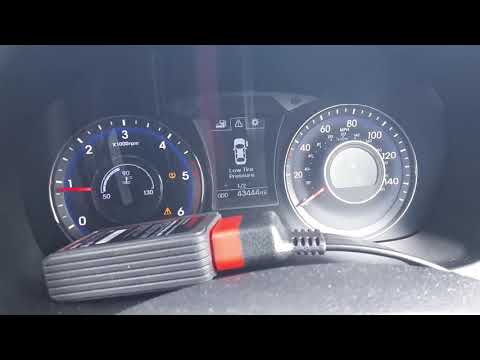
Suzuki Celerio
(2014-2023 /
MK 2)
In this video, we show you how the TPMS monitoring system works on the Suzuki Celerio. To start, ensure you inflate each tyre to the pressure specifi…

Suzuki Celerio
(2014-2023 /
MK 2)
In this new mini guide dedicated to the Suzuki Celerio, we will discover where the fuse box is located. This is a very important operation, especiall…

Suzuki Celerio
(2014-2023 /
MK 2)
These short and simple steps will show us how to change the time on the multimedia system of the Suzuki Celerio. First of all, we get into the car an…
Other guides you may be interested in
|
How to Set the Time in an Audi A4?
In this tutorial, you will see how to set the time in an Audi A4, a very simple and quick operation to perform after replacing the battery or when the time changes. First, insert the key and turn on the instrument cluster. Then, press the "SETUP" button located on the center console. Next, press the upper left arrow button, navigate to the "Time" option, and use the central knob to adjust the clock. Finally, set any necessary formats and save by returning to the main screen. by ScegliAuto More videos
|
|
For advertising on this site Write to info@scegliauto.com
ScegliAuto is not responsible for any inaccuracy of the data in the lists. To report any inaccuracy or your business (if you own the business in question), please write to info@scegliauto.com
Number of seconds to generate the page: 0.059
(c) ScegliAuto 2026 - info@scegliauto.com - Privacy policy VAT number: IT01247470535 |
