
|
Do it yourself
| |||
| ||||


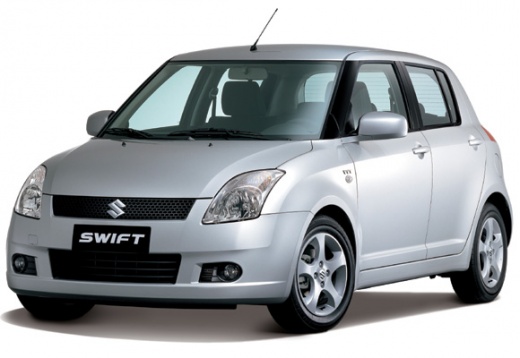
Steering Wheel Replacement with Airbag
Model: Suzuki Swift
MK 4, Rs41
- Years:
2004, 2005, 2006, 2007, 2008, 2009, 2010
Video tutorial
To carry out this operation, first disconnect the battery. After turning the steering wheel to allow easier access, start removing the screws on the sides. Once the screws are removed, pull out the central block containing the airbag and disconnect the connectors. After removing the airbag, unscrew the nut that connects the steering wheel to the column. To ensure correct positioning during replacement, you can apply removable masking tape on the plastics behind the steering wheel and mark them to indicate the correct centre. After removing the steering wheel, proceed with the replacement and reassembly of the airbag.
Updated on 9 February 2026 by ScegliAuto
Related tutorials
Suzuki Swift
(2004-2010 /
MK 4, Rs41)
Remove the steering wheel airbag on a Suzuki Swift if it is damaged or if you want to take off the steering wheel. Start by unscrewing the screws sec…

Suzuki Swift
(2017-2024 /
MK 6, A2L)
In this video, you will see how to make a Suzuki Swift look really super aggressive with a simple accessory like the eyelid that partially covers the…

Suzuki Swift
(2017-2024 /
MK 6, A2L)
Today's steps will show you how to remove and replace the manufacturer's emblem on the steering wheel of the Suzuki Swift. First, get inside the vehi…
Other guides you may be interested in
|
How to Set the Time in an Audi A4?
In this tutorial, you will see how to set the time in an Audi A4, a very simple and quick operation to perform after replacing the battery or when the time changes. First, insert the key and turn on the instrument cluster. Then, press the "SETUP" button located on the center console. Next, press the upper left arrow button, navigate to the "Time" option, and use the central knob to adjust the clock. Finally, set any necessary formats and save by returning to the main screen. by ScegliAuto More videos
|
|
For advertising on this site Write to info@scegliauto.com
ScegliAuto is not responsible for any inaccuracy of the data in the lists. To report any inaccuracy or your business (if you own the business in question), please write to info@scegliauto.com
Number of seconds to generate the page: 0.072
(c) ScegliAuto 2026 - info@scegliauto.com - Privacy policy VAT number: IT01247470535 |
