
|
Do it yourself
| |||
| ||||


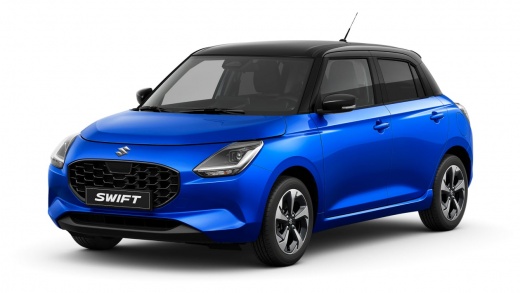
How to Change the TPMS Mode in the Suzuki Swift?
Model: Suzuki Swift
- Years:
2024, 2025, 2026
Video tutorial
The Suzuki Swift has two modes for the tyre pressure monitoring system (TPMS): Comfort or Load. To choose the mode that best suits your current needs, turn on the ignition and use the button next to the speedometer to navigate to the "Settings" option and then to the TPMS menu. From there, select the "Mode" option that allows you to choose which of the two modes mentioned above you want to set for your vehicle's TPMS. The chosen option is not binding and can be changed at any time.
Posted on 12 October 2026 by ScegliAuto
Related tutorials
Suzuki Swift
(2017-2024 /
A2L, MK 6)
The instructions in this guide will show us how to permanently deactivate the anti-theft system on the Suzuki Swift. First, we get into the car and s…
Suzuki Swift
(2017-2024 /
A2L, MK 6)
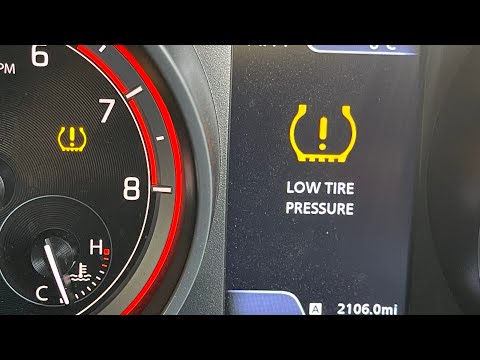
If the orange TPMS light related to tyre pressure keeps coming on in your 2017 Suzuki Swift and you want to reset it manually, follow the steps in th…

Suzuki Swift
(2017-2024 /
A2L, MK 6)
In this guide for all owners of the latest model Suzuki Swift, you will discover how to correctly reset the TPMS light if it continues to illuminate …
Other guides you may be interested in |
Frequently Asked QuestionsHow to Replace the Cabin Filter on the Ford Puma
To replace the cabin filter on the Ford Puma, detach the small cover located on the left side of the front passenger footwell: once this is removed, loosen the underlying screw so that you can detach the corresponding panel. At this point, locate the filter box underneath, which can be opened to remove the filter inside. The new filter can then be inserted, covering everything with the box and refitting the corresponding panel into its housing. by ScegliAuto More videos
|
|
For advertising on this site Write to info@scegliauto.com
ScegliAuto is not responsible for any inaccuracy of the data in the lists. To report any inaccuracy or your business (if you own the business in question), please write to info@scegliauto.com
Number of seconds to generate the page: 0.265
(c) ScegliAuto 2026 - info@scegliauto.com - Privacy policy VAT number: IT01247470535 |
