
|
Do it yourself
| |||
| ||||


How to Disable ECO Mode in a Toyota Camry?
Model: Toyota Camry
Xv50
- Years:
2011, 2012, 2013, 2014, 2015, 2016, 2017, 2018, 2019
Video tutorial
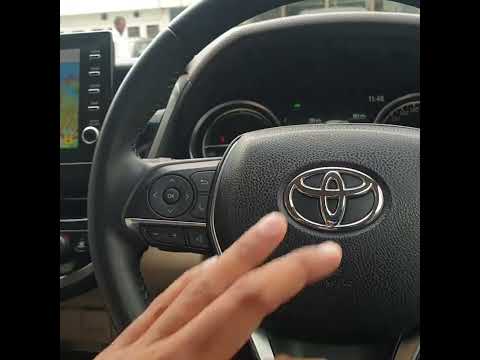
In this tutorial, see how to disable ECO mode in a Toyota Camry, a very simple and quick operation, for example, if you find it too intrusive. First, enter the cabin, then insert the key and turn on the instrument panel. Next, reach the "ODO" mileage using the button on the right side of the dashboard. Turn off the panel, turn it back on while holding the same button, and when the "ECO ON" message appears, release it and press it a second time. Similarly, you can reactivate the mode.
Posted on 28 February 2026 by ScegliAuto
Related tutorials
Toyota Camry
(2011-2019 /
Xv50)
.. In this tutorial, see how to disable ECO mode in a Toyota Camry, a very simple and quick operation, for example, if you find.. …

Toyota Camry
(2011-2019 /
Xv50)
In this tutorial, we can see how to activate and deactivate the ECO mode in the Toyota Camry, an extremely simple and quick operation. This mode disa…
Toyota Camry
(2018-2024 /
Xv70)
In this tutorial, you will see how to disable the parking sensors in the Toyota Camry, a very simple and quick operation, for example, if you find th…
Other guides you may be interested in
|
How to Open the Bonnet on the Mitsubishi L200?
In this tutorial, you will see how to open the bonnet on the Mitsubishi L200, a very simple operation that follows the standard procedure. First, open the vehicle and go to the driver's side, then locate the lever at the lower outer area, just in front of the pedals, and pull it. Next, position yourself in front of the bonnet, locate the second lever above the Mitsubishi logo, and push it to the right, releasing the latch. At this point, you can fully lift the bonnet and secure it with the prop rod. by ScegliAuto More videos
|
|
For advertising on this site Write to info@scegliauto.com
ScegliAuto is not responsible for any inaccuracy of the data in the lists. To report any inaccuracy or your business (if you own the business in question), please write to info@scegliauto.com
Number of seconds to generate the page: 0.124
(c) ScegliAuto 2026 - info@scegliauto.com - Privacy policy VAT number: IT01247470535 |
